A free notes app for your phone and your browser
Memlow is a free notes app for your Android phone and your browser. Write, tick things off, get reminded, track goals and keep small sheets, on your own or with your team, all private, with no AI, and safe in your own Google Drive.
- Free
- Private
- No AI
- Works offline

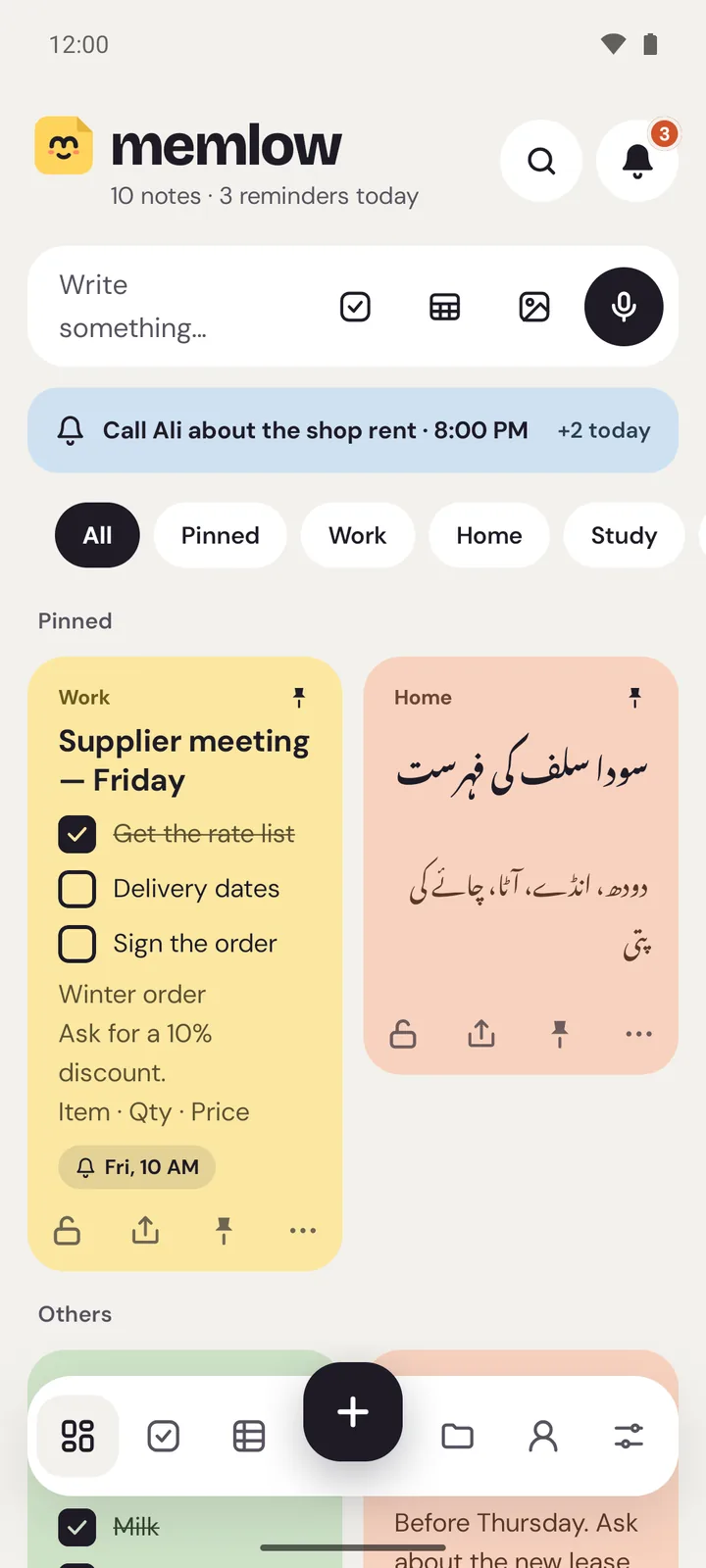
- 41note templates, and 12 for sheets
- 75themes for every mood
- 30fonts, from handwriting to typewriter
- 108functions in Memlow Sheets
- 15languages on the web, 35 on Android
- 0ads on the web
A free checklist app for every list you keep
Memlow is a free checklist app for shopping, packing, chores or a busy week. Make a list, tick things off, and get a reminder for the items that can't wait.
- Tick and move onTicked items can drop to the bottom, so what's left to do stays on top.
- Remind one itemPut a reminder on a single item, like “pay rent”, instead of the whole list.
- Everything in TasksToday, Upcoming and Done: every reminder from every note, in one place.
- Ready-made listsShopping, packing, cleaning and bills templates to fill in, or save your own.

A free reminder app that lives in your notes
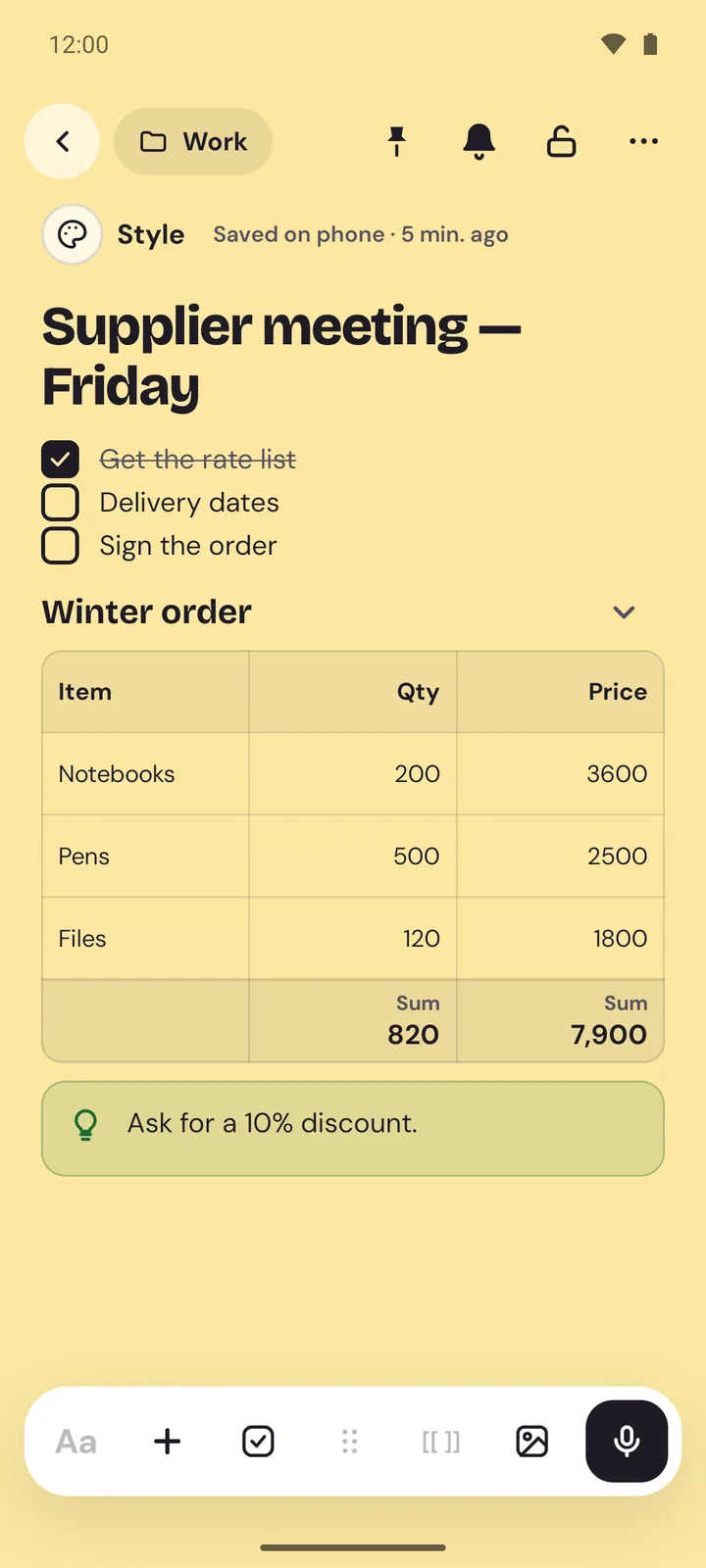
A reminder belongs next to the thing you need to remember. Memlow is a free reminder app for Android and the web that puts the reminder in the note itself: on the whole page, or on one line of a list.
- Note or itemBe reminded of a whole note, or of just one item in a checklist.
- Repeats your wayDaily, weekly on the days you pick, monthly or yearly. Snooze when now isn't good.
- Smart, not AIWrite “dentist Friday 5pm” and Memlow offers that reminder, using simple rules in 12 languages.
- Today at a glanceTasks shows Today, Upcoming and Done, with anything overdue first.


A cute notes app with 75 themes
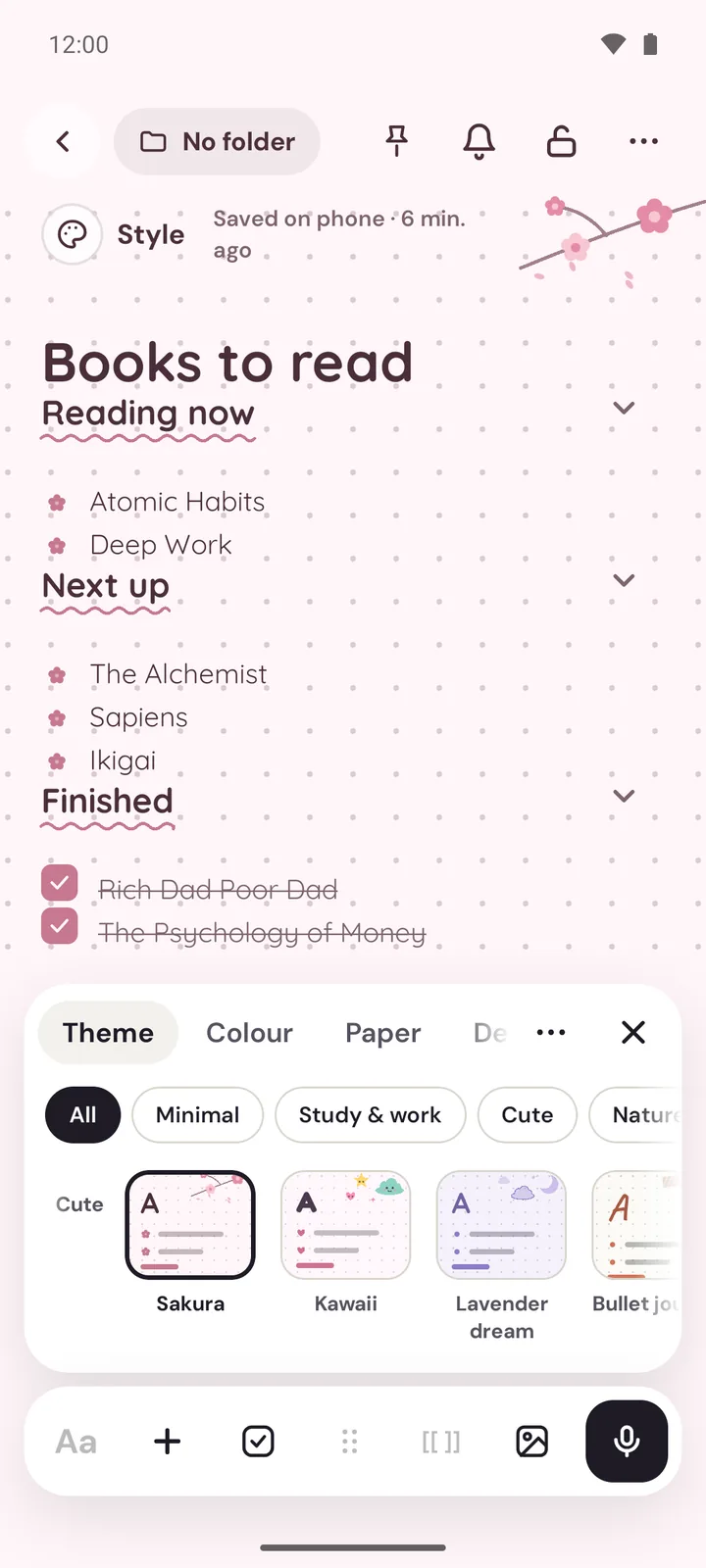
A shopping list doesn't need to look like a diary. Memlow is a cute notes app when you want one, and a calm one when you don't. Each note can have its own theme, colour, paper, background and font, all free.
- 75 themesFrom calm Zen and Nordic to Sakura, Ajrak, Chalkboard and Truck art.
- Real paper18 papers, from lined and notebook to grid, dots, Cornell and music staves.
- 30 fontsHandwriting, rounded, serif, clean, typewriter and decorative, plus fonts for other alphabets.
- Style once, reuseGive one note a look, then make it the start for every new note.

A private notes app: on your device, locked with a PIN
Memlow is a private notes app that keeps your notes on your device unless you choose to back them up. Nothing reads what you write, and a PIN keeps the personal ones out of sight.
- On your deviceNotes are saved on your phone or in your browser. They're never sent to us.
- Nothing reads themNo AI, no analysis, no summaries. Your words aren't scanned by us or anyone else.
- PIN lockLock one note or all of Memlow. Locked notes show only their title on cards and in search.
- Backups only you openBackups are encrypted on your device with your password before upload. Not Google, not us.


Notes, lists, reminders, goals and sheets in one app
Simple enough for a shopping list, strong enough for your whole week.
Free, with no AI reading your notes
- Free, and no AINo paid plan, nothing to unlock. Nothing summarises, scores or learns from what you write. The web app has no ads; the Android app shows a few, never while you write.
- Works offline on Android and the webYour notes are on your device, so they open with no signal. Reminders ring on Android with the app closed, and the web app works offline after your first visit.
- Private by defaultMemlow's servers never receive your personal notes. Backups and anything you share are encrypted end to end before they leave.
- In your language35 languages on Android and 15 on the web, Urdu, Arabic and Hindi among them. Urdu and Arabic turn the whole app right to left.
Share with your team, and have a page of your own
Memlow is a personal notes app first. With a free Memlow account it also works for teams and families, and gives you a public profile if you want one.
Who uses Memlow, and where
One free app for personal notes, a class, a shop counter, an office team or the family fridge list.
Your notes stay on your device
They're saved on your phone or in your browser. Backups are encrypted on your device with your password, then go into your own Google Drive. Your phone and your computer open them; nobody else can.
- Your deviceYou write on the web or on Android. Notes are saved right there.
- Locked on the deviceYour backup password encrypts them (AES-256-GCM) before upload.
- Your Google DriveIn Memlow's hidden app folder. Google can't read the notes.
- Your other devicesSame Google account, same password: the notes come back.
Your notes stay yours.
No adjectives, just how it works. Memlow's servers never receive your personal notes, so there is nothing of yours for us to read, sell or lose. What you share is stored there encrypted end to end, so only the people you share with can read it.
- Where notes live
- On your device: the phone's storage, or your browser's own storage on the web.
- Accounts
- A Memlow account never holds your notes. It keeps only your name, email and how you sign in.
- Backups
- Optional, in your own Google Drive or a file, encrypted on your device with your password (AES-256-GCM) before they leave it.
- Who can read them
- Only you. Not Google, not us. That also means we can't recover a lost backup password.
- Analytics and AI
- The apps have no analytics. This website uses Google Analytics only if you accept it. No AI reads your notes, and the Android app's few ads never see them.
Guides
All guides
Coming from another app, or stuck on something?
Questions people ask
Something else? Look in the Help Center, read who makes Memlow, or write to [email protected].
Is Memlow really free?
Yes. Memlow on the web is free with no ads, and the Android app is free with a few small ads. There is no paid plan and nothing to unlock.
Does Memlow use AI?
No. Nothing reads your notes: no AI summaries, no AI search, no training on your writing. Smart reminders come from fixed rules on your device.
Where are my notes kept?
On your device: in your browser on the web, in the app on Android. If you link Google Drive, encrypted backups go to Memlow's hidden folder in your own Drive. Memlow's servers never receive your personal notes, and anything you share passes through them encrypted end to end.
Does Memlow work offline?
Yes. The Android app works with no connection, and the web app does too after your first visit. Install it from your browser and it opens in its own window.
Can I use the same notes on my phone and computer?
Yes. Link the same Google Drive on the web and in the Android app, and each change reaches the other device by itself, usually within seconds. Edits made on both are put together.
Do I need an account?
Not to write. Open Memlow and start: notes are kept in your browser. A free Memlow account is needed on the web to link your Google Drive, and on both apps to share notes, join a team or have a public profile.
Is Memlow good for teams?
For small teams, yes. Make a team once, with an owner, admins and members (up to 50 people), then share notebooks, notes and goals with everyone in it. Everything shared is encrypted end to end, and changes show up live.
Is there an iPhone app?
No. Memlow is on Android and the web. The web app runs in a browser, but we haven't tested it in Safari on an iPhone yet, so we can't promise it works well there.

Write your first note in seconds.
Free, private and with no AI. Open Memlow in your browser, or get the Android app.