


Start a list in a second
Choose New checklist on Home, or type [ ] and a space at the start of any line in a note. Press Enter for the next item and keep going. That's all a to-do list needs, and it's saved as you type. Later, the Checklists filter in Search finds every note with a list in it.
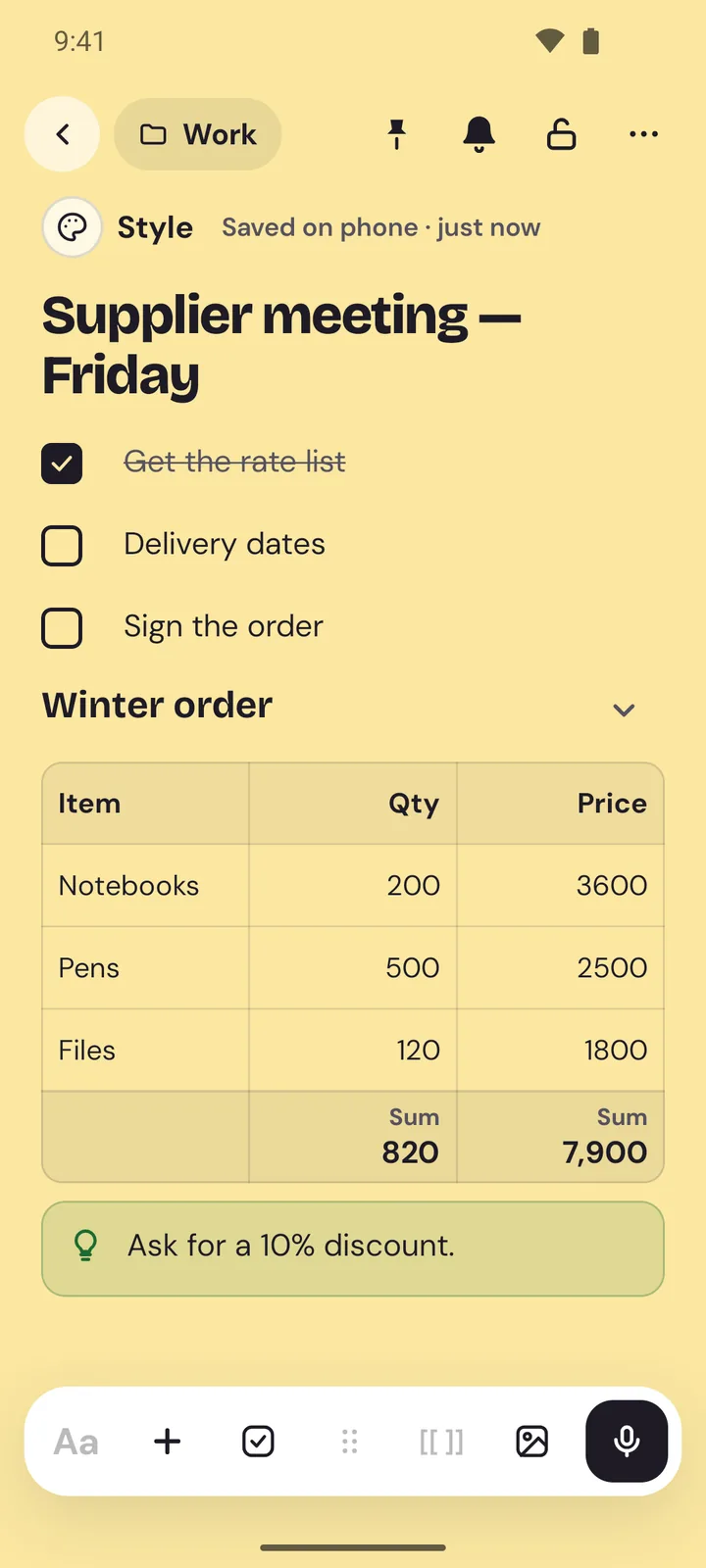
A checklist doesn't have to live alone, either. Mix it with headings, text and a table in the same note, so a trip plan can hold the packing list, the bookings and the budget on one page. Sections fold away under their headings, so the finished parts of a long note stay out of sight.
Ticked items get out of the way
Tick an item and it's crossed through. Turn on Move ticked items to the bottom in Settings and finished items slide below the ones still to do, in every checklist. Untick one and it comes back up.
You don't always need to open the note. On the web, checklist cards on Home have a tick box for each item they show, and a bar fills up as you go, so you can tick off the milk while you're still in the shop. On Android, a note widget puts a checklist on your home screen, ready to tick.
Reminders on the items that matter
A to-do list only helps if you remember to look at it. In Memlow a reminder can sit on the whole note or on one item: “Renew car insurance” on Friday at 9, while the rest of the list waits. Write a time into an item, like “call the plumber tomorrow at 10”, and Memlow offers to set that reminder for you.
Reminders can repeat daily, weekly on the days you pick, monthly or yearly, which suits chores and bills. Not a good moment when one rings? Snooze it and it comes back later. Every one gathers in Tasks, split into Today, Upcoming and Done, with anything overdue first. Mark an item done there and it's ticked in its note too.
Lists you don't have to build
Memlow has 40 ready-made templates, and many start as checklists: a shopping list grouped by aisle, a packing list, a cleaning checklist with daily, weekly and monthly jobs, and bills to tick off once they're paid. The habit tracker and the week planner are checklists too: one for the small things you do every day, one with a list for each day of the week. Made a list you use every week? Save it as your own template from the note's menu. On the web, ticks are cleared, so each new copy starts fresh.
On the web and on your phone
Memlow works as a checklist app in your browser at app.memlow.com and as an app on Android, free on both, and your lists stay on your device. On Android, reminders ring as notifications with Done and Snooze buttons, even when the app is closed. On the web, they ring while Memlow is open or installed, and a missed one waits in the bell. There's more on that in notes with reminders.

