
Memlow settings, section by section
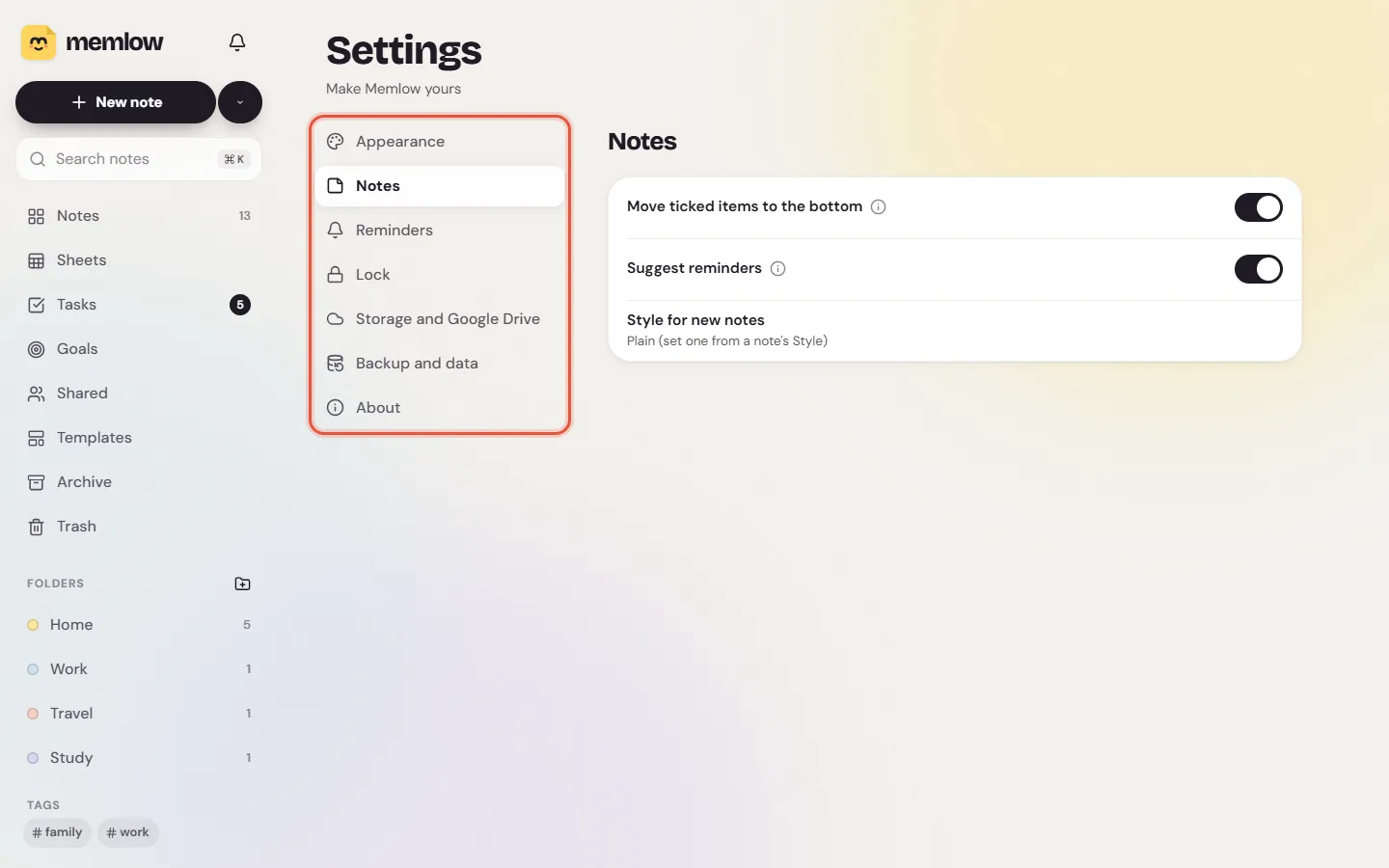
Memlow's settings are under Settings in the bar along the bottom on a phone, and in the sidebar on a computer. The Android app groups them as Backup and data, Security, Notes, Look and language, Voice and About. The web app has seven sections: Appearance, Notes, Reminders, Lock, Storage and Google Drive, Backup and data, and About. Your Memlow account and profile aren't in Settings: they have their own place, Account.
Settings are kept on each device. Changing the text size on your phone doesn't change it on your computer.
Settings in the Android app
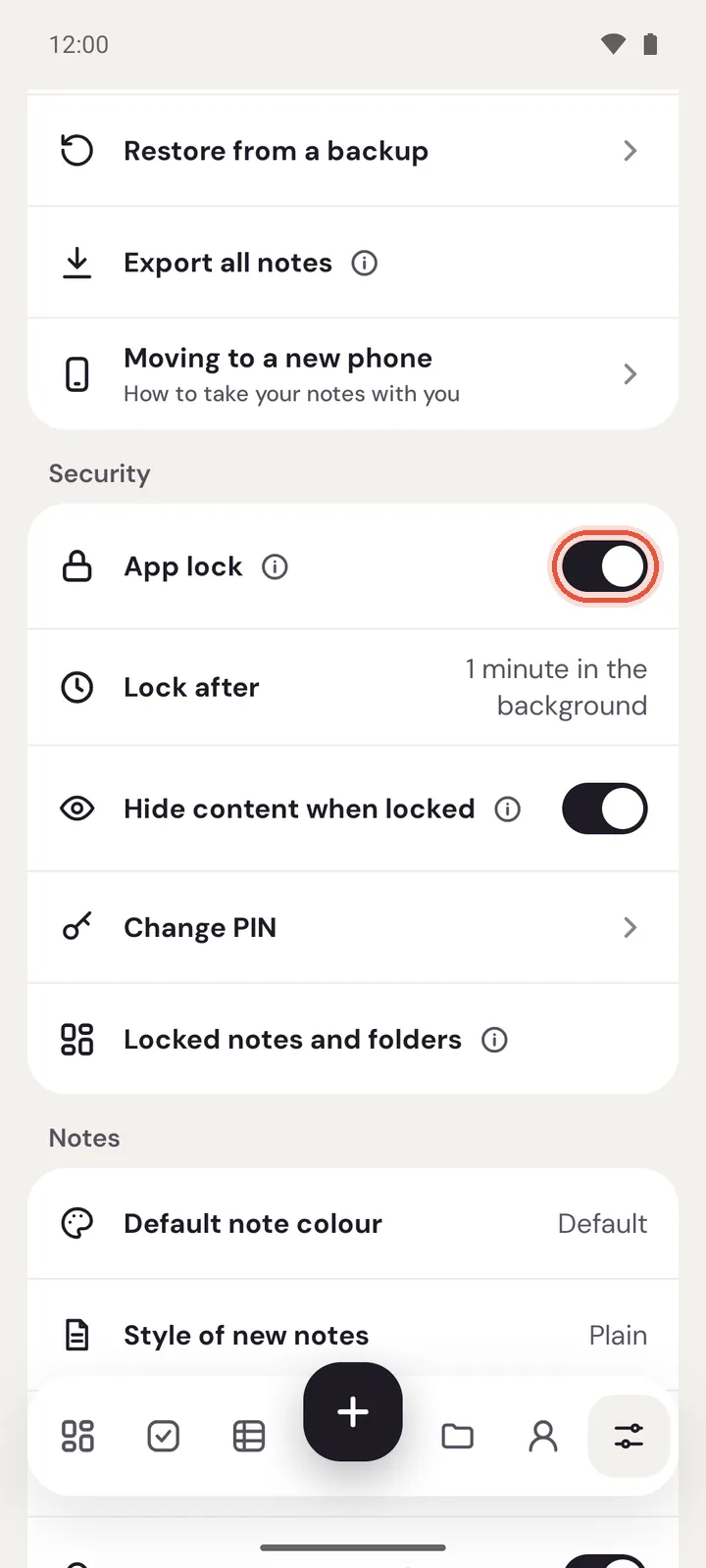
Tap Settings in the bar along the bottom, then scroll. Some rows have an (i) beside their name: tap it to read what the setting does.
Backup and data
Google Drive backup: turn it on, see when the last backup was, and tapBack up now. See Back up your notes to Google Drive.Create backup file: every note, photo and voice note in one file you keep.Restore from a backup.Export all notes: Markdown files in a ZIP, for other apps.Moving to a new phone: a short guide to the three ways.
Security
App lock: ask for your PIN when Memlow opens. Off until you turn it on.Lock afterandHide content when lockedshow while app lock is on.Hide content when lockedstarts on: notifications and widgets show no note text.Unlock with fingerprintandChange PINshow once you have a PIN.Locked notes and folders: how to lock a single note or a folder.
Notes
| Setting | What it does | Starts as |
|---|---|---|
Default note colour | The colour every new note gets | Default |
Style of new notes | The paper, decoration and font new notes start with | Plain |
Move ticked items to the bottom | Ticked checklist items drop below the rest | On |
Suggest reminders | Offers a reminder when a note mentions a date or time | On |
Default reminder time | The time used for a date written without one | 9:00 |
Default snooze | How long Snooze waits | 1 hour |
Reminders not ringing? | Checks the phone settings reminders need | |
Sort notes by | The order of your notes | Last edited |
Note layout | Grid or List | Grid |
To set a style for new notes, open any note, tap Style, set it up and tap Use for new notes. Start plain again goes back.
Look and language
Theme:Light,DarkorSystem(follows the phone). Starts asSystem.Text size:Small,Medium,LargeorExtra large. Starts asMedium.App language: 35 languages, or the phone's own. See Change Memlow's language.Urdu text style: Nastaliq or Naskh. It shows when the app or the phone is in Urdu, or uses Arabic script.First day of the week:Region default, Saturday, Sunday or Monday.
Voice
Voice typing language: the language you speak when you type by voice.Download offline speech: voice typing without internet, where your phone's speech service offers it.
About
Version, Privacy policy, Ad privacy choices (on phones in places where Google asks for ad consent), Open-source licences and Export problem report.
If Memlow ever closes by itself, it writes a short note about it on the phone. Export problem report shares that note: what went wrong in the app's code, the app and Android version, and the phone's model. It never contains your notes and is never sent anywhere unless you share it, for example by email to [email protected].
Settings on the web
Open Settings. On a computer, the sections are listed on the left with the open one beside them. On a phone's browser, tap a section to open it and use the back arrow to return.
Appearance
Theme:System,LightorDark. The web starts light.Text size: a slider, from a little smaller to a good deal larger than normal.Layout:GridorList.First day of the week:Automatic(from your language and region), or a day.Language: 15 languages.Install as an app: shows when your browser can install Memlow, so it opens in its own window and works without internet. See Install the web app.
Notes
Move ticked items to the bottom: on to start with.Suggest reminders: write "call mum tomorrow at 5" and Memlow offers that reminder. On to start with.Style for new notes: set it from any note'sStyle;Start plain againresets it.
Reminders
Notifications: whether this browser may show reminders.Allowasks the browser.Snooze for: from 5 minutes to 4 hours. Starts at 60 minutes.
On the web, reminders ring while Memlow is open in a tab or installed as an app. See Reminders don't ring, or ring late.
Lock
PIN:Set a PIN, orChange PIN.Lock Memlow: ask for the PIN when Memlow opens. Needs a PIN first.Lock after:Immediatelyor after 1, 5, 15 or 60 minutes. Starts at 1 minute.Hide note text in notifications: reminders say "Memlow reminder" instead. On to start with.Lock now: shows whileLock Memlowis on, and locks Memlow straight away.
Storage and Google Drive
How much of the browser's space Memlow uses, Protect storage, and Google Drive backup and sync. See Notes kept in this browser.
Backup and data
Backup file: download everything, photos and recordings too, in one file the Android app can restore as well.Restore from a backup file.Export all notes: Markdown files in a ZIP.Erase Memlow from this browser: deletes every note, photo and setting here. Google Drive is left as it is. It can't be undone.
About
The version, Memlow for Android, Privacy policy, Help and support, Keyboard shortcuts and the font licences.
Where's the account?
Signing in, your username, profile and banner, and deleting your account are under Account, next to Settings. See the Memlow account guide.
Questions and answers
Where are Memlow's settings?
Tap Settings in the bar along the bottom on a phone, or choose Settings in the sidebar on a computer.
How do I make the text bigger?
On Android, Settings, then Text size under Look and language. On the web, Settings, then Appearance, and move the Text size slider.
Do settings sync between my phone and computer?
No. Each device keeps its own settings. Your notes are what sync.
Where do I sign in or delete my account?
Under Account, next to Settings. It's no longer a section of Settings.