
Change Memlow's language
To change Memlow's language, open Settings and pick one from the language list. The Android app comes in 35 languages and the web app in 15, and the change shows at once. Whatever language Memlow is in, you can write notes in any language you like.
Change the language
You can also pick a language on the welcome screen, the first time Memlow opens.
On Android
- Open
Settings, then go toLook and language. - Tap
App language. - Pick a language, or type in
Search languagesto find it.System defaultfollows your phone's language.
Memlow's language is set on its own, so the app can be in Urdu while the rest of your phone stays in English.
On the web
- Open
Settings, thenAppearance. - Under
Language, pick one.Automaticfollows your browser's language.
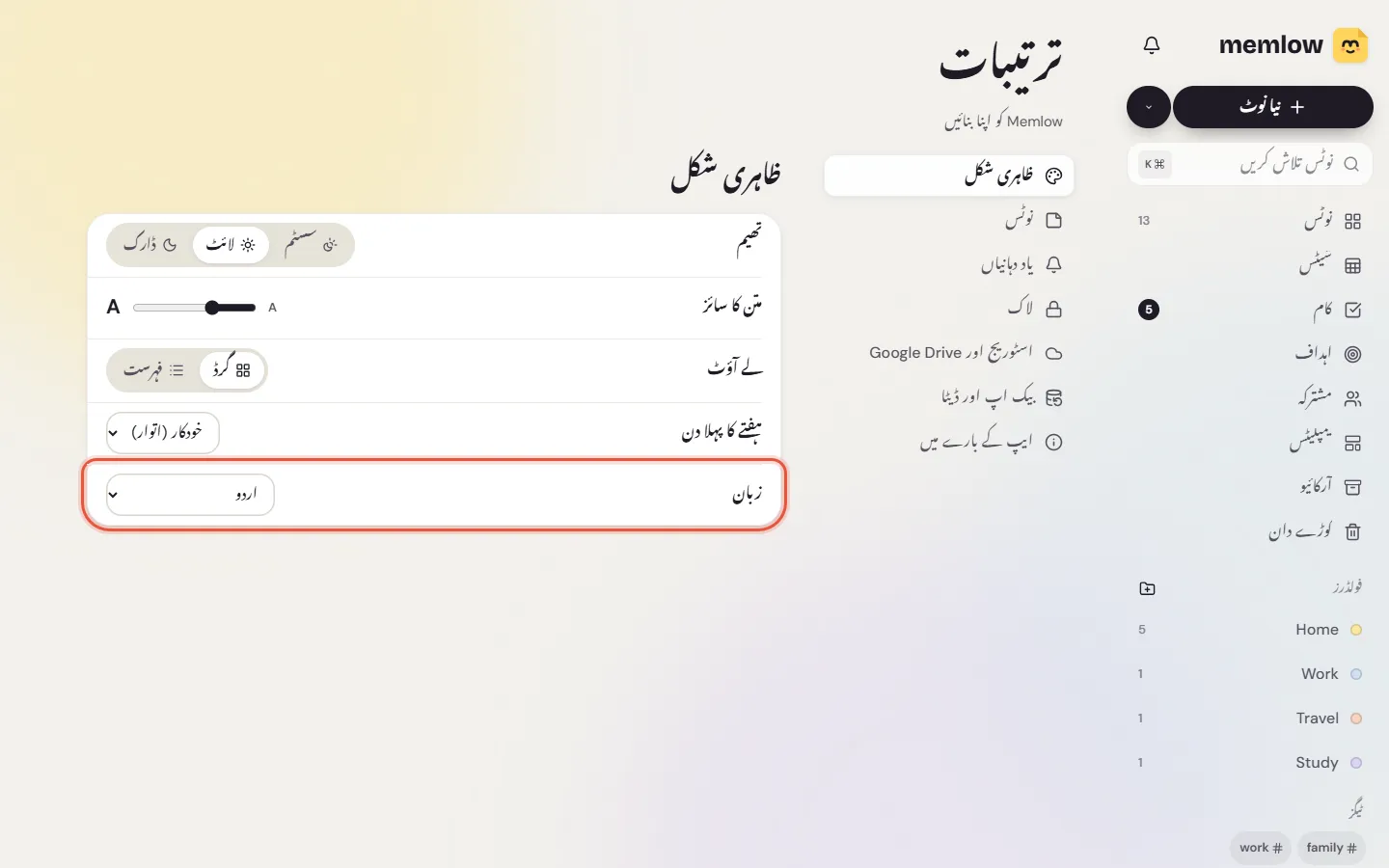
Which languages there are
On the web, the 15 languages are English, Spanish, Portuguese (Brazil), French, German, Italian, Russian, Turkish, Arabic, Urdu, Hindi, Indonesian, Japanese, Korean and Chinese (Simplified).
The Android app has all of those, plus Dutch, Polish, Romanian, Czech, Swedish, Malay, Filipino, Vietnamese, Swahili, Ukrainian, Greek, Persian, Hebrew, Bengali, Marathi, Tamil, Telugu, Gujarati, Punjabi and Thai. On Android, Spanish and Portuguese each come in two versions (Spain and Latin America, Portugal and Brazil), and Chinese in Simplified and Traditional.
Each language is listed in its own name, such as اردو or हिन्दी, so you can find yours whatever the app is set to.
Right-to-left languages
Choose Urdu or Arabic, or on Android also Persian or Hebrew, and the whole app turns right to left. Menus, buttons, arrows and lists all mirror, and the bar along the bottom starts from the right.
Your notes work the same in any language. Each paragraph takes its direction from its own words, so Urdu lines read right to left and English lines left to right, side by side in one note. That holds whatever language the app is in. Write notes in Urdu, Arabic and other RTL covers writing, Nastaliq and search.
What else follows the language
- Dates, times and numbers are written the way that language writes them.
- Template headings and week days come out in that language when you start a note from a template.
- On the web, Speak to type listens in the language Memlow is set to. On Android, voice typing follows the app's language unless you pick another one on the voice screen. See Voice notes and voice typing.
The first day of the week has its own setting, First day of the week: in Look and language on Android, and in Appearance on the web.
Questions and answers
How do I switch Memlow's language?
On Android, open Settings, then App language, under Look and language. On the web, open Settings, then Appearance, and pick from Language.
Which languages does Memlow come in?
35 on Android and 15 on the web, among them English, Urdu, Arabic, Hindi, Spanish, French, Turkish, Indonesian and Chinese.
Does Memlow work right to left?
Yes. In Urdu and Arabic, and on Android also Persian and Hebrew, the whole app turns right to left. Notes in those languages read right to left whatever language the app is in.