
Install the Memlow web app on a computer
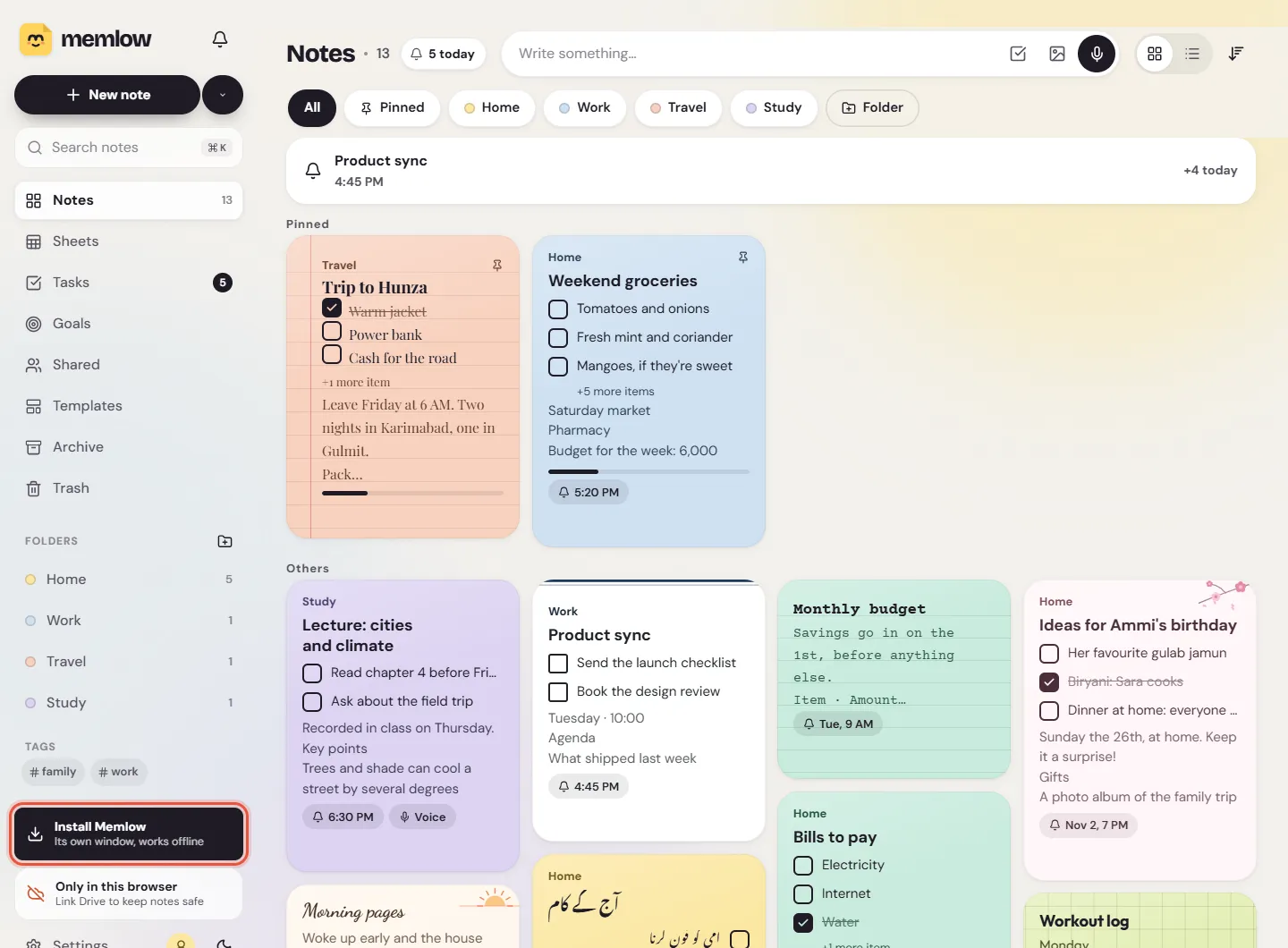
To install the Memlow web app, open app.memlow.com in Chrome or Edge and choose Install. Memlow then opens in its own window, like any other program, starts faster and works without internet. Installing is optional: the same app runs in an ordinary browser tab, free and with no ads.
Install it on a computer
These steps are for Chrome and Edge on Windows, macOS, Linux and Chromebooks.
- Open app.memlow.com.
- Choose
Install Memlowat the bottom of the sidebar. The same button is inSettings, thenAppearance, next toInstall as an app. You can also use the install icon at the end of the browser's address bar. - Confirm in the box the browser shows.
Memlow opens in its own window. From then on, start it like your other programs, from the Start menu, the Dock or the app launcher.
Note
Memlow's own button only appears when the browser offers to install websites. If you can't see it, Memlow may already be installed: Settings, then Appearance, says Installed. Some browsers don't install websites at all. There, keep Memlow open in a tab, or use Chrome or Edge.
Install it on an Android phone
- Open app.memlow.com in Chrome.
- Tap
Settingsin the bar along the bottom, thenAppearance. - Tap
Installnext toInstall as an app, and confirm.
Memlow gets its own icon on the home screen. On an Android phone, though, the Memlow app from Google Play is usually the better choice: it rings reminders even when it's closed, and it has home-screen widgets. The two can share your notes through your own Google Drive.
On an iPhone or iPad
There's no Memlow app for iPhone or iPad, and we haven't tested the web app in Safari yet, so we can't promise every part works there. If you try it, Memlow's Settings, then Appearance, shows Apple's own way to add a website to the home screen: in Safari, tap Share, then Add to Home Screen.

Does it work offline?
Yes, once you've opened app.memlow.com one time. After that, Memlow opens and works without a connection: writing, checklists, search, Style and templates all keep going. What needs the internet:
- Google Drive backup and sync. They catch up when you're back online.
- Signing in to your Memlow account, and shared notebooks and links.
- Speak to type, in browsers that send your voice to a speech service.
- A note font you haven't used before. It loads the first time you pick it while online.
Reminders ring only while Memlow is open in a tab or running as an installed app.
Where your notes are stored
On the web, notes are saved in the browser's own storage for app.memlow.com, on that device. Memlow's servers never receive them. The installed app and a Chrome tab on the same computer use the same storage, so they show the same notes.
That storage belongs to one browser, on one device:
- Another browser, another browser profile or a private window doesn't have your notes.
- Clearing the browser's data for app.memlow.com deletes the notes in it.
- When space runs low, a browser may clear websites' data by itself.
To guard against the last one, open Settings, then Storage and Google Drive, and choose Protect storage. It asks the browser not to clear Memlow's data, and the row then says Protected. The browser decides, and installing Memlow as an app usually helps. Then set up Google Drive backup or save a backup file now and then, so your notes are never in one place only. Until you do, Memlow shows a warning, "Your notes are only in this browser": Notes kept in this browser: keep them safe explains it.
When Memlow updates
Memlow updates itself. When you open it, a new version comes in straight away. If one arrives while you're writing, Memlow says A new version of Memlow is ready and waits for you to choose Reload, so a note you're typing is never cut off.
Questions and answers
How do I install app.memlow.com like an app?
In Chrome or Edge, open app.memlow.com and choose Install Memlow in the sidebar, or Install in Settings, then Appearance. It then opens in its own window.
Does the Memlow web app work offline?
Yes, after your first visit. Writing, search and templates work without internet. Drive backup, sign-in and sharing wait until you're back online.
Where are my notes stored in the browser?
In that browser's own storage for app.memlow.com, on that device only. Another browser or a private window doesn't have them, and clearing the browser's data deletes them, so link Google Drive or save backup files.
Is there an iPhone app?
No. There's no Memlow app for iPhone or iPad. You can open the web app in the phone's browser, but we haven't tested it in Safari yet.