
Install Memlow on your Android phone
Memlow is free on Google Play for phones and tablets with Android 8.0 or newer. To install Memlow on Android, open its page on Google Play and tap Install. You can start writing as soon as it opens: an account is optional, and Memlow asks for each permission only when a feature needs it.
Install from Google Play
- On your phone, open Memlow on Google Play, or search for Memlow in the Play Store.
- Tap Install.
- Open Memlow.
Google Play keeps it up to date, like your other apps.
The welcome screen
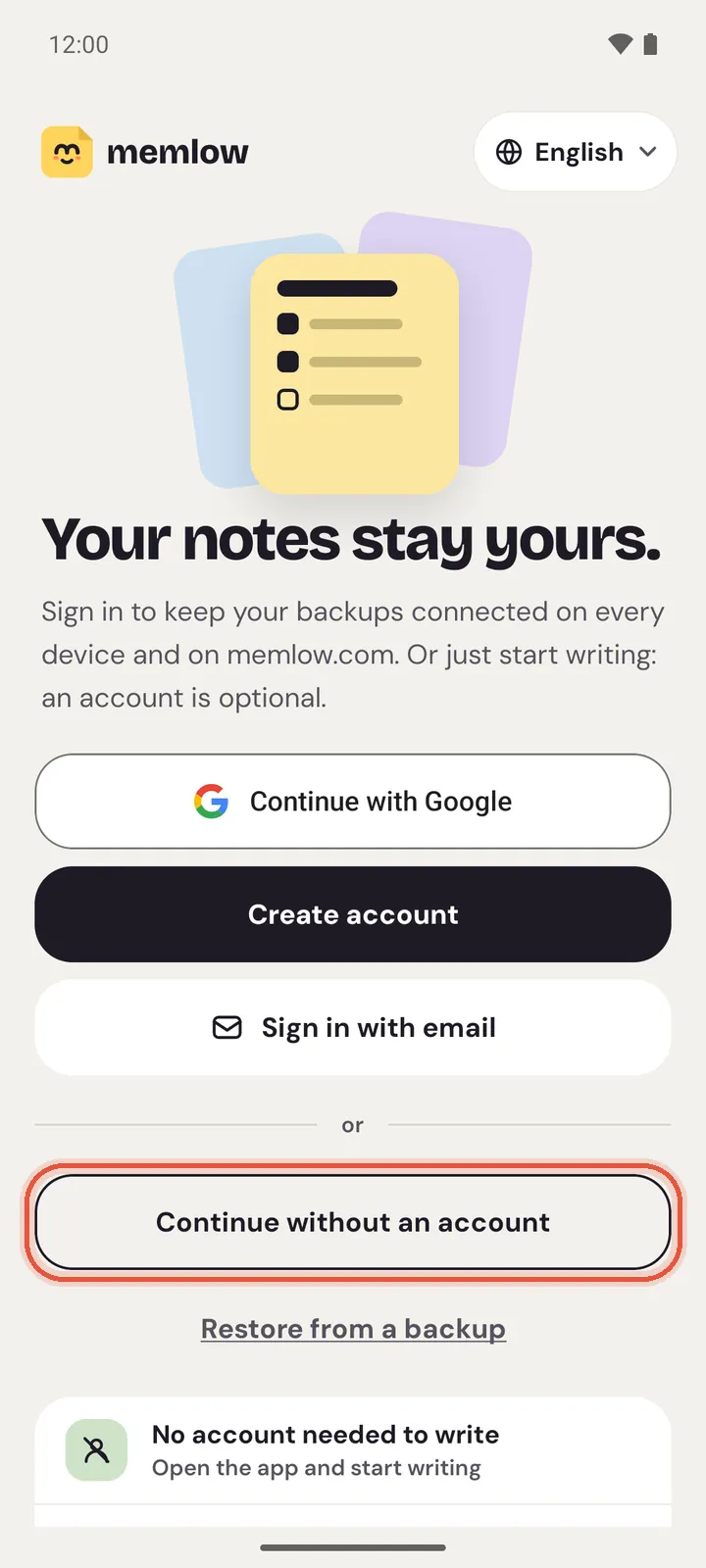
The first time Memlow opens, it says Your notes stay yours. From there you can:
- Tap
Continue with Google,Create accountorSign in with emailto use a free Memlow account. It keeps your Google Drive backups connected on every device where you sign in, including memlow.com, and it's needed for sharing. - Tap
Continue without an accountand go straight to your notes. - Tap
Restore from a backupif you already have notes from another phone or from the web. - Change the language with the button in the top corner. Memlow starts in your phone's language when it has it, and English otherwise.
In the European Economic Area, the UK and other places where the law asks for it, Google's consent form for ads may appear once. See Ads in the Android app, and your choices.
Then you're on Home. The bar along the bottom holds Notes, Tasks, Sheets, + for a new note, Folders, Account and Settings.
What Memlow asks for, and why
Memlow doesn't ask for anything on the welcome screen. Each permission comes up the first time you use the feature that needs it:
| Permission | When Memlow asks | What it's for |
|---|---|---|
| Notifications | After you save your first reminder (Android 13 and newer) | Showing reminders when they ring |
| Alarms & reminders | After your first reminder, from Open Alarms & reminders | Ringing at the exact minute. Without it, a reminder can be up to an hour late |
| Battery use | After your first reminder, from Open battery settings | Stopping the phone from closing Memlow and silencing reminders |
| Microphone | The first time you tap record on the voice screen | Recording voice notes and voice typing |
After you save your first reminder, Memlow shows a sheet called Make sure this reminder rings, with a button for each phone setting. Each button opens the right place, so you can turn it on there. If a reminder still comes late, see Reminders don't ring, or ring late.
Memlow doesn't ask for the camera or your files:
Take photohands over to your phone's camera app, and the photo comes back to the note.Choose from galleryuses Android's photo picker, which only shares the photos you pick.
It uses the internet for Google Drive backup, your account, sharing and ads. Writing never needs a connection.
Bring in the notes you already have
From another Android phone, or from Memlow on the web:
- On the welcome screen, tap
Restore from a backup. Later, it's inSettings, thenRestore from a backup. - Choose
Google Drivefor backups Memlow made in your Drive, orBackup filefor a .memlow file on the phone. - Pick the backup and enter its backup password.
Moving everything from an old phone has its own guide: Move your notes to a new phone. To keep the phone and a computer in step, see Same notes on your phone and computer.
Warning
Your notes are kept inside the app on this phone. Uninstalling Memlow, or clearing its storage in Android's settings, deletes them. Turn on Google Drive backup in Settings, or save a backup file, before you do either.
Questions and answers
Which Android versions does Memlow work on?
Android 8.0 or newer, on phones and tablets.
Is the Android app free?
Yes. There's no paid plan and nothing to unlock. The app shows a few ads from Google AdMob, never while you're writing, and the ads never see your notes.
Does Memlow need an account?
No. Tap Continue without an account and start writing. A free account keeps your Drive backups connected across your devices and lets you share notes.