
Lock the whole app with your fingerprint
App lock puts Memlow behind your PIN, so nobody can open the app without it. In the Android app you can unlock with your fingerprint instead of typing the PIN, which makes Memlow a notes app you lock with your fingerprint. The web app has app lock too, with the PIN only.
App lock uses the same PIN as your locked notes. If you set a PIN for a locked note, app lock uses that one. Unlocking the app doesn't open your locked notes: each one still asks for the PIN when you open it.
Turn on app lock
On Android
- Open
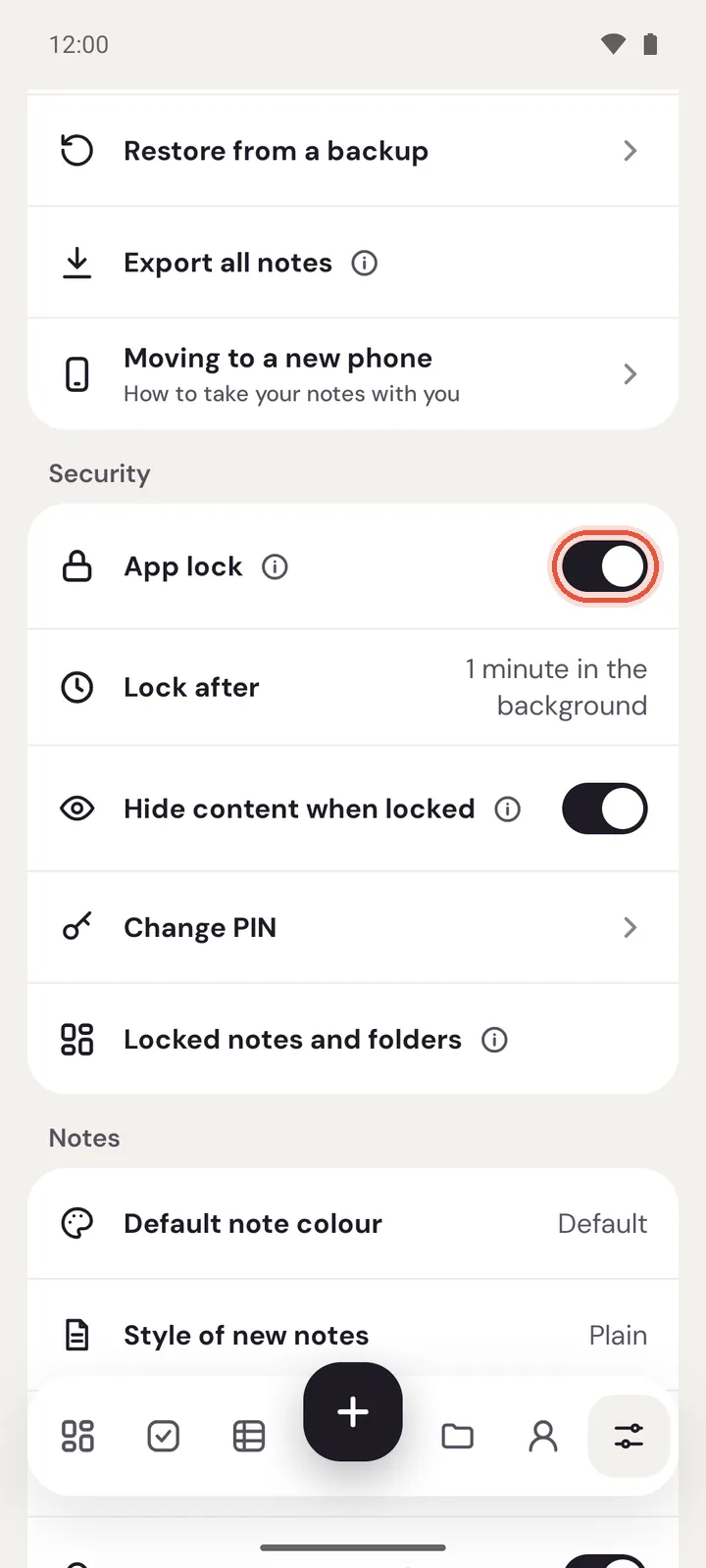
Settings. UnderSecurity, switch onApp lock. - If you have no PIN yet, choose one of 4 to 6 digits under
Create a PIN, tapContinueand enter it again. How Memlow locksopens. LeaveUnlock with fingerprinton to use your fingerprint, choose when Memlow locks underLock after, and tapDone.- Memlow says "App lock is on".
Unlock with fingerprint only shows when your phone has a fingerprint (or a face unlock that Android counts as strong) set up. You can switch it on or off later in Settings, under Security.
On the web
- Open
Settings, thenLock. - If
PINsaysNot set, chooseSet a PIN, pick 4 to 8 digits and enter them again. - Switch on
Lock Memlow. - Choose a time under
Lock after.
Unlock Memlow
On Android
When Memlow opens, it says "Memlow is locked" and shows the fingerprint prompt. Touch the sensor, or tap Use PIN and type your PIN. Memlow opens as soon as the last digit is right; there's nothing to press.
Only your fingerprint (or strong face unlock) and your Memlow PIN open it. Your phone's own screen-lock PIN or pattern doesn't, because people at home often know it.

On the web
Type your PIN on the lock screen. There's no fingerprint option in the browser.
Choose when Memlow locks
Lock after sets how long Memlow can be in the background before it asks again.
- On Android:
Immediately, or after 1, 5 or 15 minutes in the background. It starts at 1 minute. Memlow always asks after it has been closed completely. - On the web:
Immediately, or after 1, 5, 15 or 60 minutes away from the tab. On the web,Lock nowinSettings, thenLock, locks it straight away.
Change your PIN
On Android
Open Settings, then Change PIN under Security. Enter your current PIN, then the new one twice. Memlow says "PIN changed".
On the web
Open Settings, then Lock, and choose Change PIN. Enter your current PIN, then the new one twice.
The new PIN opens your locked notes too.
Hide notes in notifications and widgets
You can stop note text showing outside the app.
- On Android, while app lock is on,
Hide content when locked(underSecurity, on unless you turn it off) makes reminder notifications say only "Memlow reminder" and the time, and widgets sayLocked — tap to open. - On the web,
Hide note text in notifications(inSettings, thenLock) makes reminders say "Memlow reminder" instead, with or without app lock.
What else app lock does on Android
- Memlow hides its preview in your phone's recent-apps screen, so nobody sees a note while switching apps.
- After 5 wrong PINs you wait 30 seconds before trying again, then longer with each wrong try, up to 15 minutes. Closing the app or changing the clock doesn't skip the wait.
- What you share into Memlow from other apps waits behind the lock too.
Turn app lock off
Switch off App lock (Android) or Lock Memlow (web). On Android, Memlow asks for your current PIN first. Your locked notes stay locked.
If you've forgotten the PIN, see Forgot your PIN?.
Questions and answers
How do I lock the whole app?
On Android, open Settings and switch on App lock under Security. On the web, open Settings, then Lock, set a PIN and switch on Lock Memlow.
Can I use my fingerprint?
Yes, in the Android app: leave Unlock with fingerprint on when you set up app lock, or switch it on later under Security. The web app uses the PIN only.
Does my phone's screen-lock PIN open Memlow?
No. Only your Memlow PIN and your fingerprint (or a strong face unlock) do.
Is app lock the same as encryption?
No. App lock asks for your PIN before Memlow opens. Your notes are stored on your device as before. Google Drive backups are encrypted separately, with your backup password.