
Forgot your PIN? What you can do
If you forgot your notes app PIN in Memlow, nobody can recover it, not even us: Memlow never stores the PIN itself, only a check of it. You can still set a new one. Show it's you with your fingerprint (Android), your backup password or your Memlow account, then choose a new PIN, and nothing is deleted.
Only a phone with none of those ways left has to be reset. The steps differ a little on Android and on the web, so read your part before you tap anything.
On Android: show it's you
- On the PIN screen, tap
Forgot PIN?. Memlow offers every way this phone has to show it's you. - Tap
Use fingerprintand touch the sensor, then touch it once more when Memlow asksConfirm it's you. Or typeYour backup password, orYour Memlow account passwordif the phone is signed in to an account with a password. - Choose a new PIN under
Create a PINand enter it again.
Your notes, locked ones included, stay as they were. The new PIN opens the app and your locked notes.
The backup password is checked on the phone itself. The account password needs a connection, because Memlow asks your account to confirm it. If your account signs in only with Google, Memlow can't ask Google to confirm it on the phone, so use your fingerprint or backup password instead.
On Android with no way to show it's you
When the phone has no fingerprint unlock, no backup password and no account with a password, the only way back in is to reset Memlow on this phone, which deletes everything in it there. Your backups in Google Drive and any backup files you saved aren't touched, so your notes come back from them.
Tip
If you can still open Memlow (you forgot the PIN of a locked note, but app lock is off), back up first. Open Settings and tap Back up now, or Create backup file with a password. Then nothing you wrote today is lost.
- On the PIN screen, tap
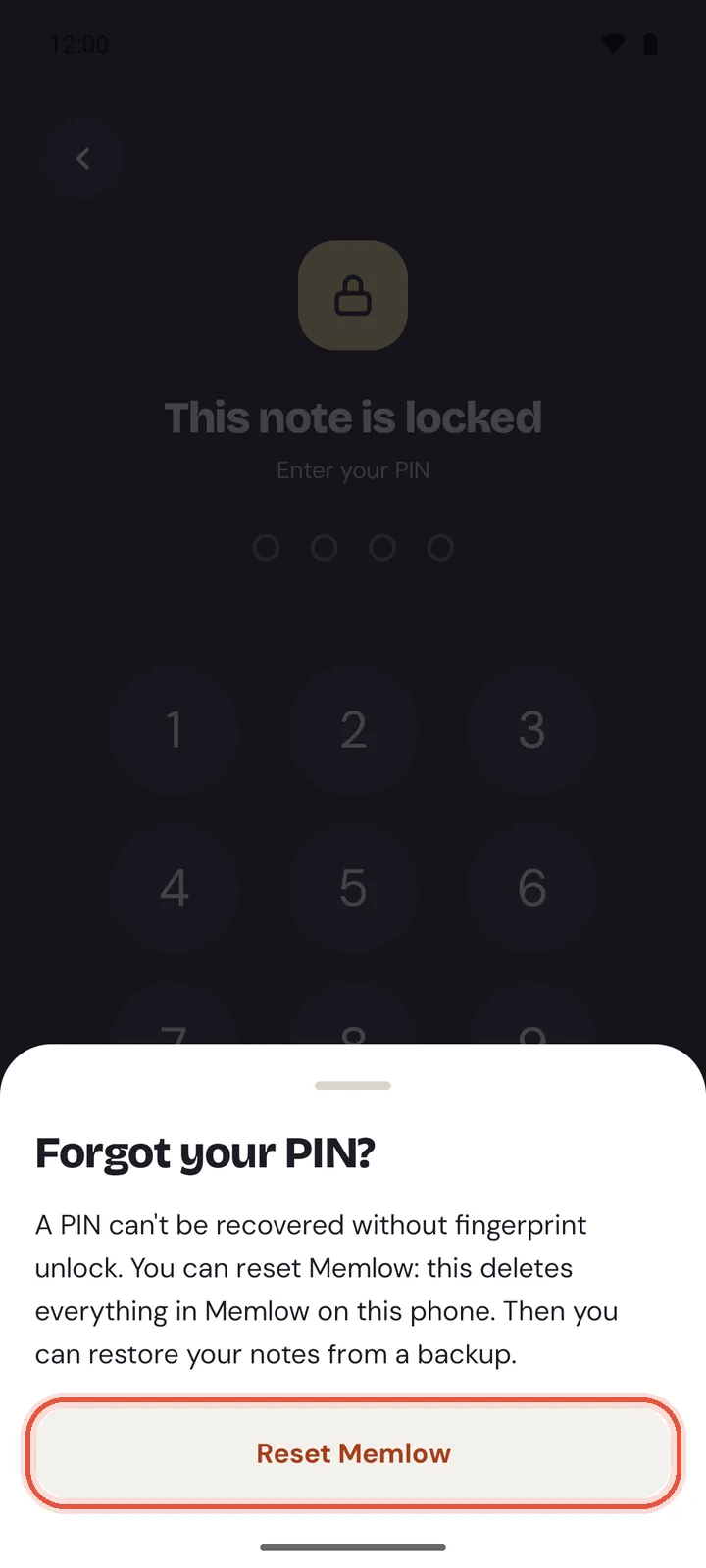
Forgot PIN?. Memlow explains that there's no way to show it's you on this phone. - Tap
Reset Memlow. - Memlow asks "Delete everything in Memlow?". Tap
Delete everything. - Memlow starts again at its first screen.
A reset deletes, on this phone: all notes, photos, voice notes, reminders and templates, every setting, the PIN, the backup key, and your sign-in to your Memlow account. It doesn't delete your Google Drive backups, your backup files or your Memlow account.
Bring your notes back on Android
Choose one of these on Memlow's first screen:
Restore from a backup, thenGoogle DriveorBackup file. Pick the newest backup, enter your backup password and chooseRestore. After a Drive restore, turn onKeep backing up to Google Drivewhen Memlow offers it.- Sign in to your Memlow account, if you have one. Memlow connects your Google Drive again and asks how to open your backups: approve from another device, or type your backup password.
Your locked notes come back locked. The first time you open one, Memlow asks you to "Set your PIN again": choose a new PIN, and it opens your locked notes from then on. Set up app lock again in Settings if you used it. See Move your notes to a new phone for the restore steps in full.
On the web
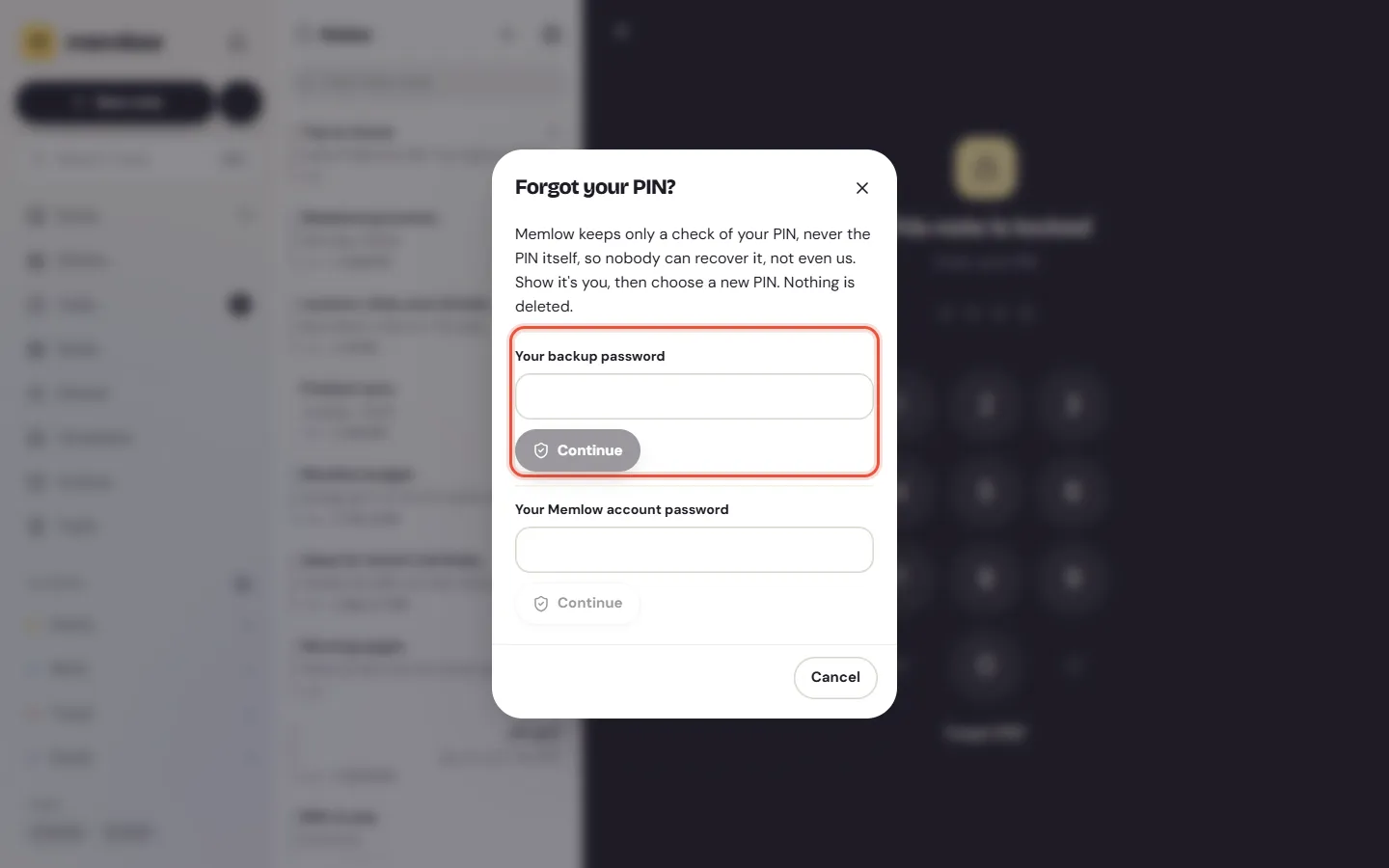
On the web, Forgot PIN? never deletes a note. You show it's you, then choose a new PIN, and your locked notes open with it. Memlow offers what this browser has:
Your backup password, when this browser backs up to Google Drive or kept the password of a backup you restored. Memlow checks it here, on your device.Your Memlow account password, when you're signed in.Confirm with Google, when your account signs in with Google. Google asks you to confirm, then brings you back to Memlow.
- On the PIN screen, choose
Forgot PIN?. - Type your backup password or your account password and choose
Continue. Or chooseConfirm with Google. - Under
Choose a PIN, enter a new PIN of 4 to 8 digits, then enter it again.
The note opens. The new PIN opens your other locked notes too, and Lock Memlow stays as you set it.
Locked notes but no PIN in this browser
A note locked on your phone comes to the web locked, and a browser that never had a PIN can't open it yet. Instead of the PIN pad, Memlow shows Set a PIN. Choose it, show it's you in the same way, and choose a PIN for this browser.
No backup password and no account
If this browser has no backup password and isn't signed in, Memlow can't check it's you. Sign in to your Memlow account if you have one (Sign in to Memlow), and Memlow goes on from there when you come back.
Without an account, the only way out is Remove locked notes from this browser. Memlow says first what it does:
- The locked notes leave this browser only. Nothing is deleted on your phone, in Google Drive or in your backup files.
- A note that's only in this browser and in no backup is gone for good.
- The PIN goes with them, so you can set a new one in
Settings, thenLock.
Tip
To keep a copy first, save a backup file with a password: open Settings, then Backup and data, and choose Download. A file with a password doesn't need the PIN. Restore it later with Merge, and the notes come back locked.
Make sure you're never stuck
- Turn on Google Drive backup. Your backup password then lets you set a new PIN on both apps, and even a reset on Android never costs you a note. See Back up your notes to Google Drive.
- Or save a backup file now and then and keep it off the device. See Save and restore a backup file.
- On Android, turn on
Unlock with fingerprintinSettings, underSecurity. It's the quickest way to set a new PIN. - Your backup password is separate from your PIN. A forgotten PIN doesn't stop you restoring, but a lost backup password does.
Questions and answers
Can I get my PIN back?
No. Memlow keeps only a check of the PIN, never the PIN, and we can't see it. You can set a new one after you show it's you: with your fingerprint on Android, your backup password, or your Memlow account.
Does Forgot PIN? delete my notes on Android?
No. Show it's you with your fingerprint, your backup password or your account password, and choose a new PIN. Only a phone with none of these has to be reset.
What if fingerprint unlock is on?
Tap Forgot PIN?, then Use fingerprint, confirm with your fingerprint once more, and choose a new PIN. Nothing is deleted.
Does Forgot PIN? delete my locked notes on the web?
No. You show it's you with your backup password or your account, then choose a new PIN. Only when a browser has neither can you remove the locked notes from that browser, and that never deletes them on your other devices or in your backups.
How do I reset and restore on Android?
Only when the phone has no fingerprint unlock, no backup password and no account with a password: Forgot PIN? then Reset Memlow deletes everything on the phone. Then Restore from a backup on the first screen brings your notes back.
Does resetting delete my Google Drive backups?
No. Nothing in Forgot PIN? touches the backups in your Drive or your backup files.