
Word count, note info and copies of a note
To see a note's word count, open the note's menu and choose Note info. It also shows the characters, the reading time, how much of the checklist is done, and when the note was made and last changed. The same menu has Copy all text, to copy everything in the note at once, and a way to make a copy of the whole note.
See the word count and other note info
On Android
- Open the note.
- Tap ⋯ in the top bar.
- Tap
Note info.
You see Words, Characters and Reading time, then the checklist (for example "3 of 5 done") when the note has one. Links to notes counts the links to other notes, when there are any. Created and Edited come last.
On the web
- Open the note.
- Choose
More(⋯) in the note's top bar. - Choose
Note info.
You see Words, Characters, Reading time, Checklist when there is one, Created and Last edited. Under Linked from are the notes that link to this one. Choose one to open it.
On a computer you can also open Note info from a note's card: hover over the card and choose ⋯ in the row along its bottom.
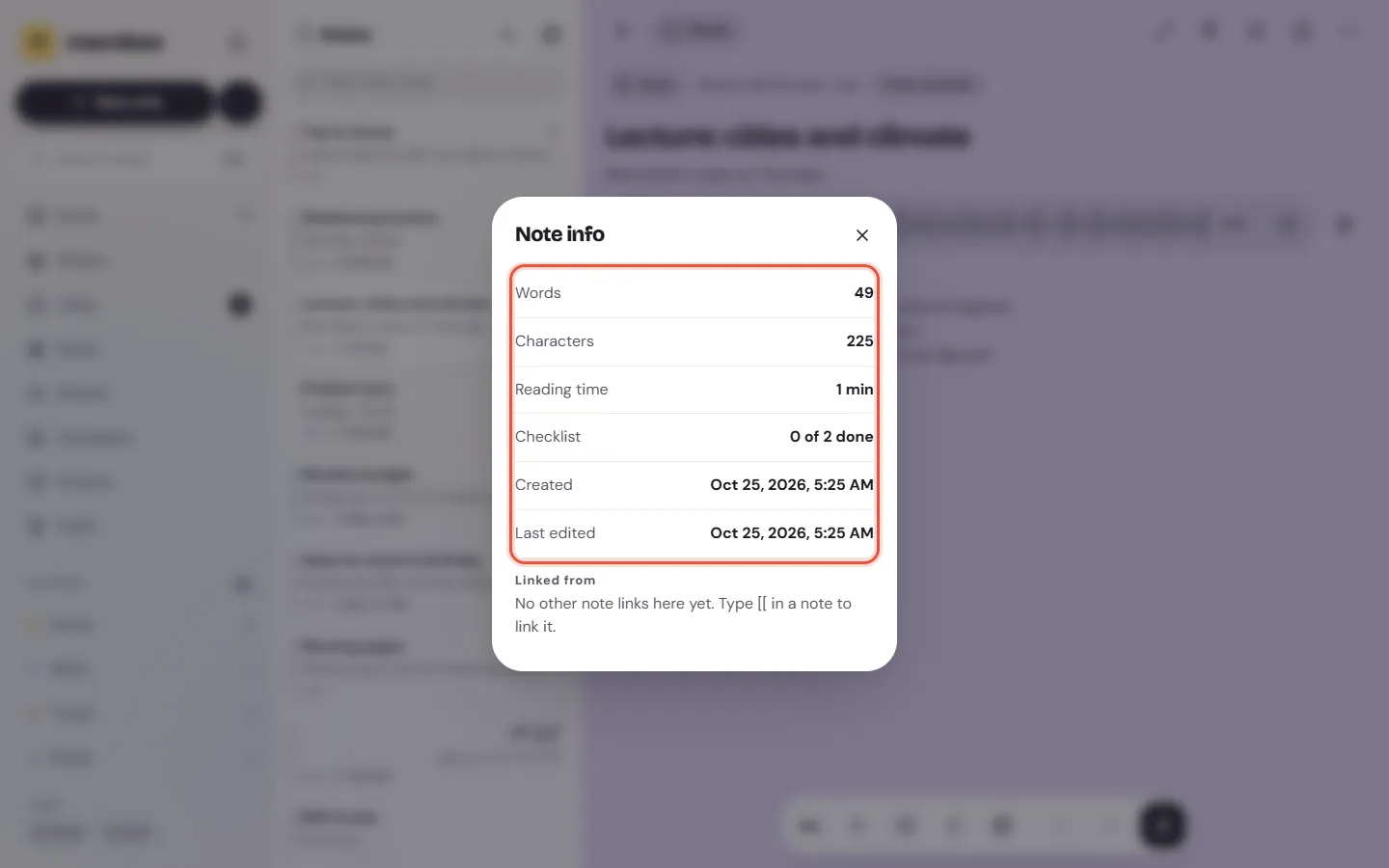
The word count suits an essay with a limit, a blog post or a speech you'll read aloud. Reading time is worked out from the number of words, so it's a rough guide. Note info counts the words on your device; nothing is sent anywhere to count them.
Copy all the text in a note
Copy all text copies the note's words as plain text, ready to paste into a message, an email or another app.
On Android
Tap ⋯ in the note's top bar, then Copy all text. Memlow says "Copied".
On the web
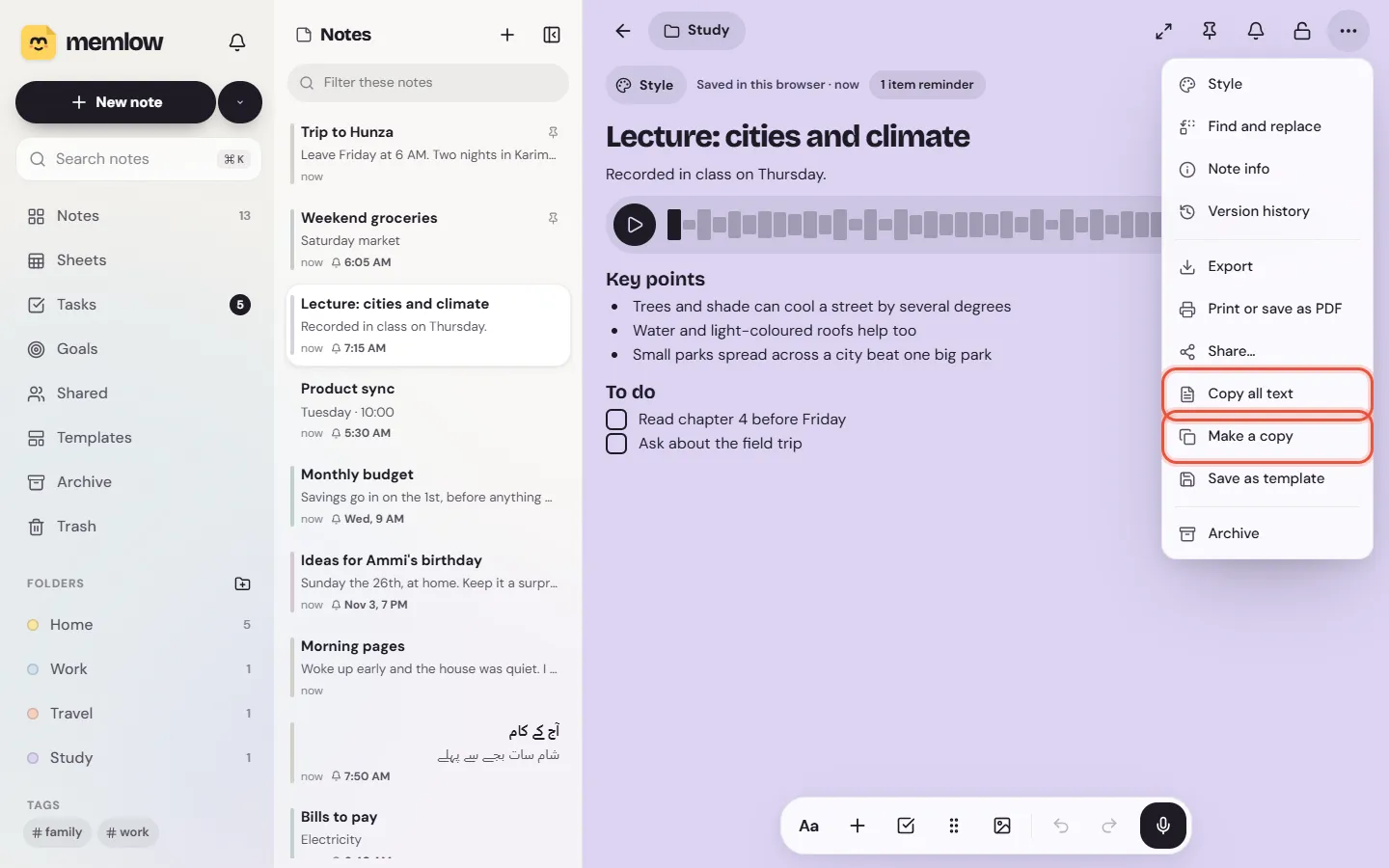
Choose More, then Copy all text. Memlow says "Text copied". It's also in the ⋯ menu on the note's card.
Formatting such as bold and colours isn't copied, and neither are photos or voice notes. To send a note with its look, use Export or Print or save as PDF. To send someone a link they can open, see Share a note with a link.
To copy just one line or block, put the cursor in it and use ⋮⋮ (Block actions), then Copy text.
Make a copy of a note
A copy is a new note with the same title, words, colour, folder and look, and its own copies of the photos and voice notes. Change the copy and the first note stays as it was. Use it for a packing list you reuse each trip, or a meeting note you start from each week.
On Android
Tap ⋯ in the note's top bar, then Duplicate. The copy opens straight away. A copy of a locked note is locked too.
On the web
Choose More, then Make a copy, or Make a copy in the card's ⋯ menu. The copy opens. A locked note can't be copied on the web: unlock it first.
Reminders aren't copied, so the copy won't ring twice. Set a new reminder on it if you need one. In a notebook someone shared with you as Can view, you can't make a copy there.
Tip
For a note you copy again and again, a template is easier. Choose Save as template in the same menu, and the note is offered whenever you start a new one. See Templates.
Questions and answers
How do I see the word count of a note?
Open the note, open its ⋯ menu (More on the web) and choose Note info. It shows words, characters and reading time.
How do I copy all the text in a note?
Open the note's ⋯ menu and choose Copy all text. The note's words are copied as plain text.
How do I duplicate a note?
On Android, tap ⋯ and Duplicate. On the web, choose More, then Make a copy. The copy opens straight away.
Are reminders copied with the note?
No. Set a new reminder on the copy if you need one.