
Export notes as Markdown, text or PDF
To export notes from Memlow, open a note's ⋯ menu and choose Export, then pick Markdown, plain text or PDF (and an image on Android). To take everything at once, use Export all notes in Settings: you get one ZIP of Markdown files, sorted into folders, with your photos and recordings. Any other notes app or text editor can open them.
An export is a readable copy for other apps. To move your notes to another phone or browser with Memlow, use a backup file instead: it keeps everything, and Memlow can restore it.
Export one note
On Android
- Open the note and tap
⋯at the top. - Tap
Export. - Under
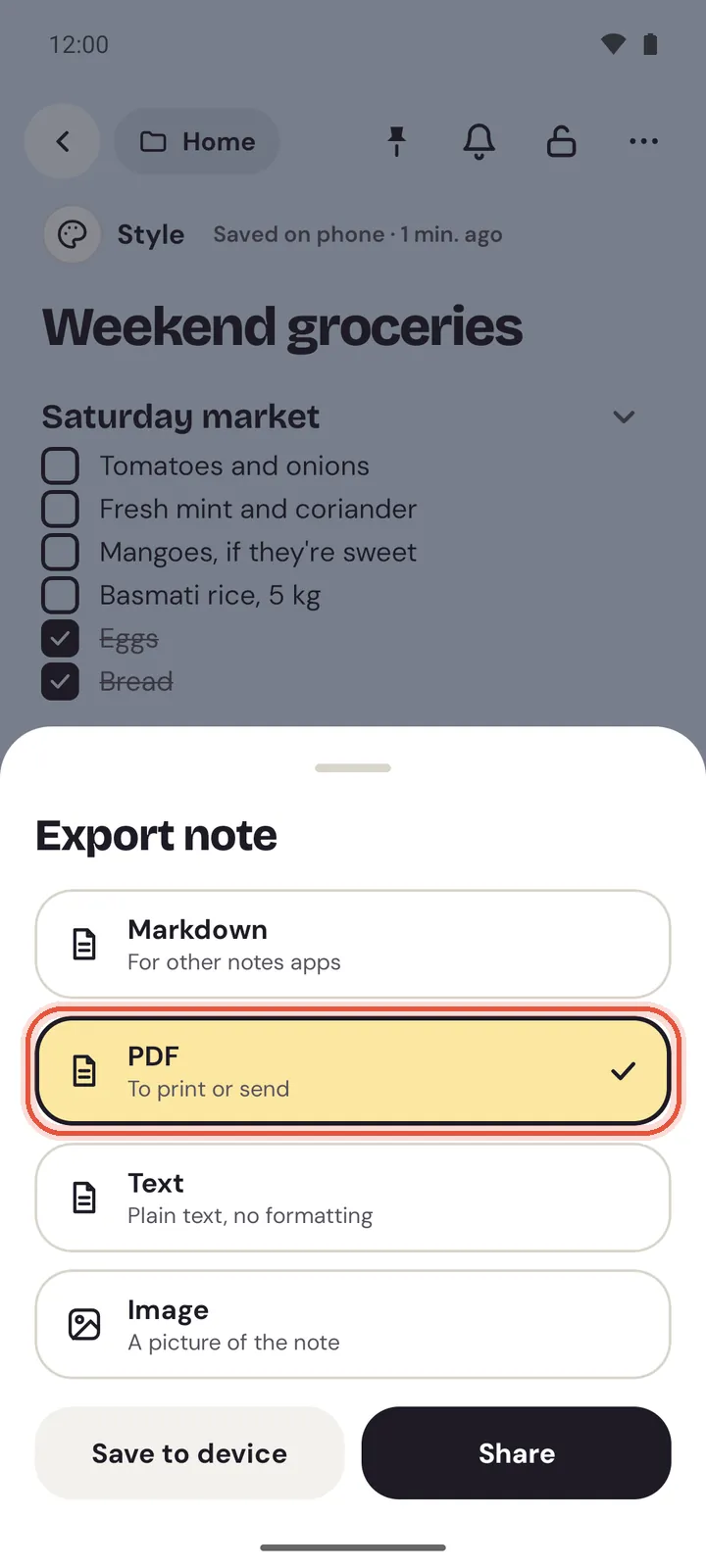
Export note, chooseMarkdown,PDF,TextorImage. - Tap
Save to deviceto choose where to save it, orShareto send it to another app.
On the web
- Open the note and choose
⋯at the top. - Choose
Export. - Choose
Markdown,Plain textorPDF. Markdown and plain text download straight away. PDF opens your browser's print window: chooseSave as PDFthere.
You can also choose Export from a note's ⋯ menu in the list.
What each format gives you
| Format | What you get | Good for |
|---|---|---|
| Markdown | The note as a .md file: title, headings, lists, checklists, tables, links. With photos or recordings, a ZIP with them in an attachments folder. | Obsidian, Joplin or any Markdown app |
Plain text (Text on Android) | Just the words, with each checklist item marked done or not | Pasting anywhere, email |
| The note as it looks, with its colour, paper and theme | Printing, sending a bill or a timetable | |
| Image (Android) | A PNG picture of the note | Sending in a chat |
Sheets and charts come out as tables of their values, and a goal as a short summary. For the PDF in detail, see Print a note or save it as a PDF.
Export all your notes
On Android
- Open
Settings. UnderBackup and data, tapExport all notes. - If you have locked notes, enter your PIN to include them.
- Choose where to save the ZIP file and tap
Save. Memlow says "Notes exported".
On the web
- Open
Settings, thenBackup and data. - Beside
Export all notes, chooseExport. - Your browser downloads the ZIP, and Memlow says how many notes it holds.
On the web, locked notes are left out of Export all notes. Unlock them first if you want them in.
The ZIP is named like Memlow 2026-10-24.zip. Inside, each note is a .md file named after its title, in a folder for each of your folders, with photos and recordings beside them. Notes in Trash aren't included.
Other things you can export
- A sheet's tab as CSV or TSV: in the sheet,
File, thenDownload this tab as CSV. See Import a CSV or TSV file. - A chart as a picture:
Export as PNGin the chart's menu, andExport as SVGon the web. - Your tasks as a PDF: the export button in Tasks.
Note
Exported files aren't encrypted. Anyone who gets one can read it, so keep them as carefully as the notes themselves.
Questions and answers
Which formats can I export?
One note: Markdown, plain text or PDF, and an image on Android. All notes: a ZIP of Markdown files with photos and recordings.
How do I export everything at once?
Open Settings, then Backup and data, and choose Export all notes. You get one ZIP, sorted into your folders.
Can I bring an export back into Memlow?
On the web, drop the .md files onto app.memlow.com and each becomes a note again. To move everything, photos and reminders included, a backup file is better. See Bring in notes from text or Markdown files.