
Your backup password, and if you lose it
If you forgot your Memlow backup password, we can't reset it or tell you what it was. It never leaves your devices, and Memlow never sees it. What you can do depends on whether one of your devices still opens your backups: often one does, and then nothing is lost.
Your backup password locks the key that encrypts your Google Drive backups and the notes Memlow syncs through Drive. You choose it when you first turn on Drive backup, and you can also use it for a backup file.
How a new device gets the key
A new phone, or a browser you haven't used before, needs the key to open your backups. There are three ways.
| Way | What you do | Needs |
|---|---|---|
| Type your backup password | Type it when Memlow asks. It's checked against your backups in Drive and never sent anywhere. | The password |
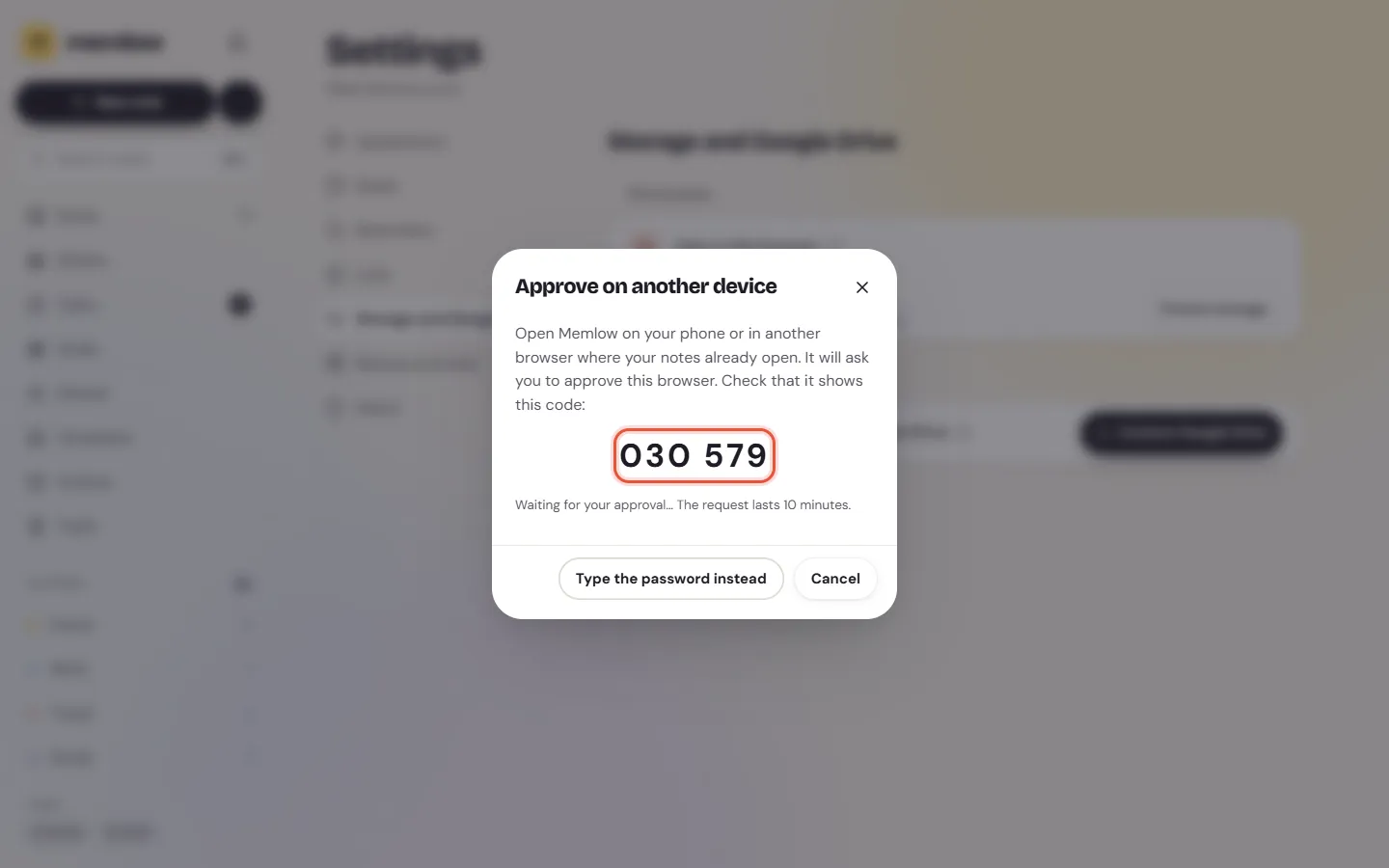
| Approve from another device | The new device shows a six-digit code. On a device where your notes already open, approve the request with the same code. | A Memlow account, signed in on both, and the other device open |
| Remember my backup key in my account | Nothing: right after you sign in, the new device gets the key from your account. | The setting turned on beforehand |
Approve from another device
- On the new device, choose
Approve from another device(Android) orApprove on another device(web). - Open Memlow on a device where your notes already open, signed in to the same account. Within about 20 seconds it shows the request, with the new device's name and a code.
- Check that the two codes match, and choose
Approve. If you didn't ask for this, chooseNot me.
The key travels encrypted from one device to the other. Memlow's server passes it on but can't read it. A request lasts 10 minutes.
Remember my backup key in my account
This setting is off unless you turn it on. You'll find it on the Google Drive backup screen on Android, and in Settings, then Storage and Google Drive, on the web, once you're signed in.
When it's on, memlow.com keeps a sealed copy of your backup key, and a device you sign in to opens your backups without the password. It also means anyone who gets into your Memlow account, or Memlow itself, could open your backups. Memlow emails you each time the key is used. You can turn the setting off at any time, and changing your backup password on the web deletes the copy too. If your notes are private, leave it off and use the password or another device.
Keep your password safe
- Write it down and keep it at home, away from your phone, or keep it in a password manager.
- Don't keep it only in a Memlow note: if you lose the phone, you lose the note with it.
- Use one backup password for all your devices, so each one opens the others' backups.
If you've lost the password
One of your devices still opens your notes
Your notes are safe on that device, and it keeps backing up: the device has its own copy of the key, so it doesn't need the password.
- To set up a new device, approve it from that one (see above).
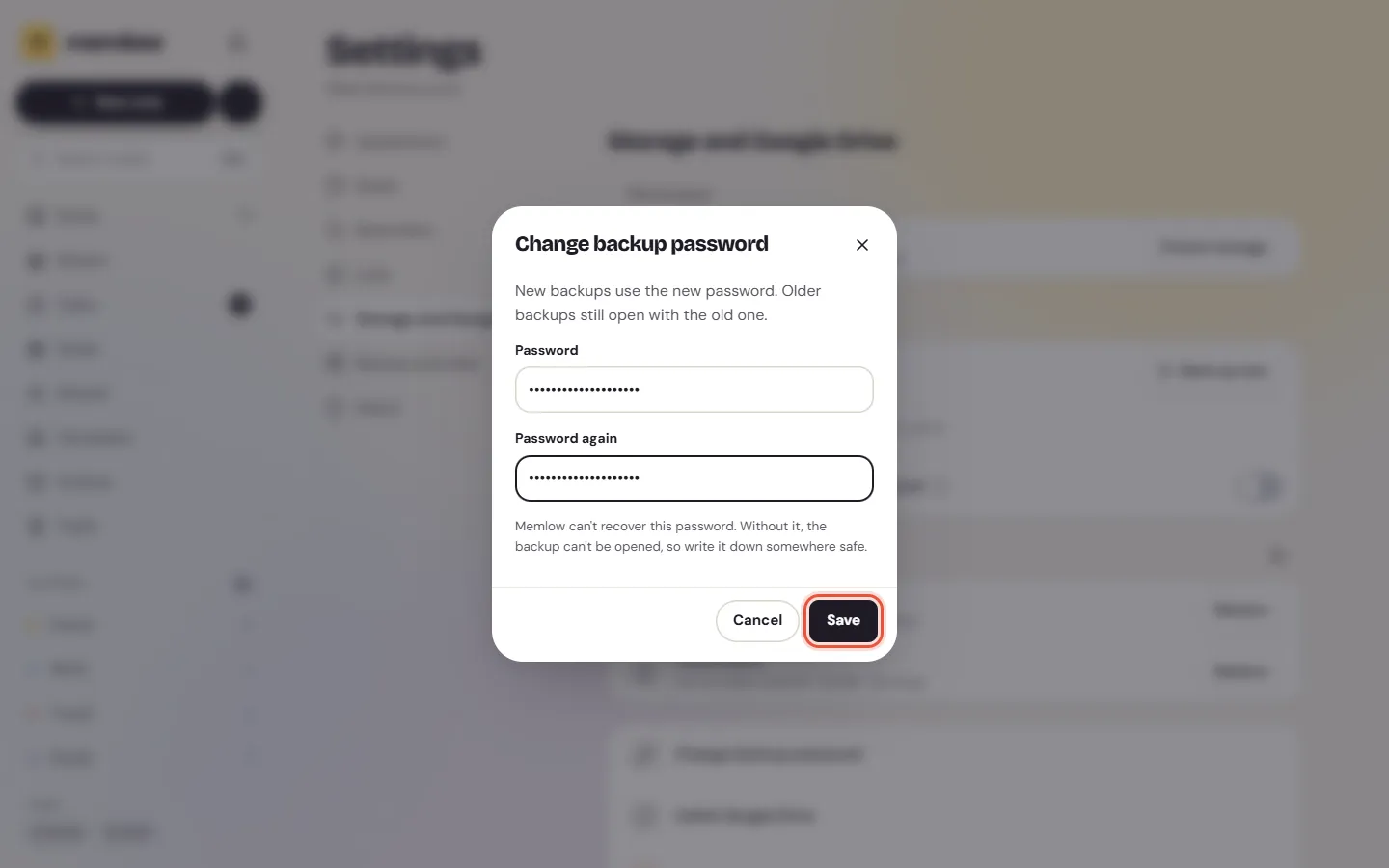
- You can choose a new password without the old one, on Android or on the web. New backups use it. Backups made before still need the old password, unless they're opened by a device that has the key. Your other devices may ask for the new password once.
To change it:
- On Android, open
Settings, thenGoogle Drive backup, thenChange backup password, and type a new one twice. - On the web, open
Settings, thenStorage and Google Drive, chooseChange backup password, and type a new one twice. If Memlow asks for theCurrent backup passwordtoo, type that first.
On the web, if your account remembers your backup key, Memlow deletes that copy when you change the password. Turn Remember my backup key in my account on again if you want it.
No device opens your notes any more
Then the backups in your Drive can't be opened, by anyone. Nobody else holds a copy of the key.
Your notes still on a phone or in a browser are fine; only the backups are lost. To start again with a new password:
- On Android, open
Settings, thenGoogle Drive backup, and choose your Google account. When Memlow saysYour backups are already here, chooseStart over with a new password, confirm withStart over, and keep the new password safe. - The web app only offers a new password when your Drive has no Memlow backups. Start over on your phone first, then link the web with the new password. With no phone, remove Memlow's hidden folder in Google Drive's own settings (under managing apps), then link Google Drive again.
The old backups stay in your Drive until you delete them; see Delete your notes, backups and account.
A backup file with another password
A backup file can have its own password instead of your backup password. If Memlow says "That password doesn't match this backup.", try the password you chose when you made that file.
Questions and answers
Why can't Memlow reset my backup password?
Because we never have it. Your backups are encrypted on your device with a key that only your password, or one of your own devices, can unlock. That's what keeps them private from us and from Google.
How does a new device get the key?
You type your backup password, or approve the new device from one where your notes already open, or, if you turned it on, your Memlow account gives it the key when you sign in.
What if I've lost it?
If any of your devices still opens your notes, nothing is lost: approve your new devices from it, and choose a new password with Change backup password, on Android or on the web. If none does, the old backups can't be opened, but the notes on your devices are still there.