
Keyboard shortcuts on the web
These are the Memlow keyboard shortcuts in the web app at app.memlow.com. Press N for a new note, / to search and Ctrl + K to jump to any note, folder or action. On a Mac, use ⌘ wherever this page says Ctrl, and Option for Alt. On Windows and Chromebooks, use the keys as written.
Memlow's own short list is in Settings, then About, under Keyboard shortcuts. For screen readers and text size, see Accessibility.
Anywhere in Memlow
N and / work when you aren't typing in a note or a box.
| Keys | What they do |
|---|---|
| N | Start a new note |
| / | Open Search |
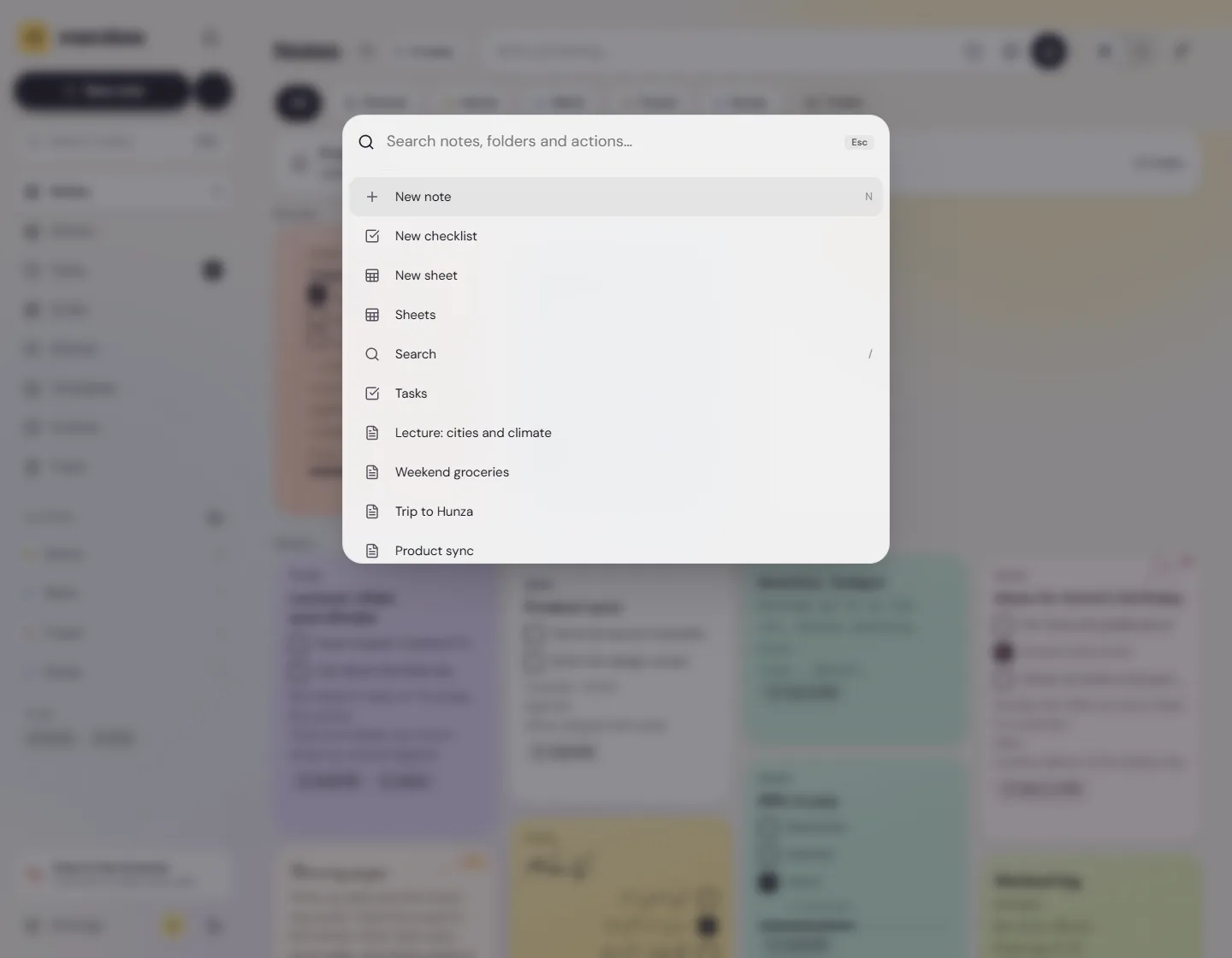
| Ctrl + K | Open the command menu: search notes, folders and actions such as New checklist or Trash |
In the command menu, ↑ and ↓ move through the list, Enter opens what's chosen, and Esc closes it.
In a note
| Keys | What they do |
|---|---|
| Ctrl + F | Find and replace in this note |
| Ctrl + P | Print the note, or save it as a PDF |
| Esc | Leave focus mode, or close the note |
| Alt + ↑ / Alt + ↓ | Open the note above or below in the notes list beside it |
| Ctrl + Z | Undo |
| Ctrl + Shift + Z or Ctrl + Y | Redo |
Alt + ↑ and Alt + ↓ work when the notes list shows beside the note, on a wide window.
Formatting words
Select the words first.
| Keys | What they do |
|---|---|
| Ctrl + B | Bold |
| Ctrl + I | Italic |
| Ctrl + U | Underline |
| Ctrl + Shift + S | Strikethrough |
| Ctrl + Shift + H | Highlight in yellow |
| Ctrl + E | Code |
| Ctrl + K | Link the words to a web address |
Ctrl + K makes a link when words are selected, or when the cursor is in a link. Otherwise it opens the command menu.
Lines and blocks
| Keys | What they do |
|---|---|
| Ctrl + Alt + 1, 2 or 3 | Big heading, heading, small heading |
| Ctrl + Alt + 0 | Back to plain text |
| Ctrl + Shift + 8 | Bulleted list |
| Ctrl + Shift + 7 | Numbered list |
| Ctrl + Shift + 9 | Checklist |
| Ctrl + Shift + B | Quote |
| Ctrl + Alt + C | Code block |
| Shift + Enter | A new line inside the same block |
| Tab / Shift + Tab | Indent or outdent a list item. Under a toggle, move a line into it or out of it |
| Alt + Shift + ↑ / Alt + Shift + ↓ | Move the block up or down |
| Ctrl + Enter | Open or close a toggle, with the cursor in its title |
Typed shortcuts
These aren't key combinations: you type them in a note.
| Type | What happens |
|---|---|
| / at the start of a line | The insert menu, filtered as you type: /table, /toggle |
[[ | Link to another note |
# and a word | A tag, such as #exams |
#, -, 1., [ ] or >, then a space | Heading, bulleted list, numbered list, checklist or quote |
--- | A divider |
The full list is in Write and format notes.
In menus and lists
- In the / menu and the
[[list: ↑ and ↓ move, Enter or Tab picks, Esc closes. - In Find and replace: Enter goes to the next match, Shift + Enter to the one before, Esc closes it.
- In a dropdown's options: Alt + ↑ and Alt + ↓ move the option up or down.
- On a voice note's position bar: ← and → jump back or ahead 5 seconds.
In Memlow Sheets
A sheet has its own shortcuts, from moving between cells to filling down. In Memlow Sheets, open Help, then Keyboard shortcuts, or press Ctrl + /. See Get started with Memlow Sheets.
With a keyboard on Android
The Android app works with a hardware keyboard too, such as one on a tablet. In a note:
| Keys | What they do |
|---|---|
| Ctrl + B, Ctrl + I, Ctrl + U | Bold, italic, underline |
| Ctrl + K | Link the selected words |
| Ctrl + Z | Undo |
| Ctrl + Shift + Z or Ctrl + Y | Redo |
| Tab / Shift + Tab | Indent or outdent a list item, or move a line into or out of a toggle |
| Ctrl + Enter | Open or close a toggle, in its title |
In a table, Tab moves to the next cell. There's no find or new-note shortcut on Android: use the note's ⋯ menu and the + button.
Questions and answers
Which keyboard shortcuts does Memlow have?
On the web: N for a new note, / for search, Ctrl + K for the command menu, Ctrl + F to find in a note, and the usual Ctrl + B, I and U for bold, italic and underline, among others.
How do I open search from the keyboard?
Press / when you aren't typing, or Ctrl + K to open the command menu and type a note's title.
Do the shortcuts work on a Mac?
Yes. Use ⌘ in place of Ctrl, and Option in place of Alt.