
Get started with Memlow Sheets
Memlow Sheets is a spreadsheet that lives with your notes. Start a blank sheet or one of 12 templates, type into the cells, add formulas and charts, and it saves as you type. A sheet is a note, so it backs up, syncs, shares and prints like your other notes, and it shows in Notes too.
You can also put a small sheet inside an ordinary note, among your text and checklists.
Open Sheets
On Android
Tap Sheets in the bar along the bottom: the table icon just before the +. Your sheets are listed there.
On the web
On a computer, choose Sheets in the sidebar, under Notes. On a phone's browser, tap the table icon in the bar along the bottom.
The Sheets screen has two parts. Start a new sheet holds Blank sheet and the templates. Your sheets lists every sheet you have.

Start a sheet
- Open Sheets.
- Under
Start a new sheet, chooseBlank sheet, or one of the templates.Template galleryshows them all. - The sheet opens full screen, ready to type in the first cell.
A new blank sheet has 100 rows and 26 columns, A to Z. The templates have at least as many. You can also start one from New sheet: on Android it's in the row at the top of Notes, and on the web it's under More ways to start, the arrow beside New note.
The 12 sheet templates
Monthly budget, Expense split, Weekly timetable, Grade tracker, Study planner, Invoice, Project tracker, Habit tracker, Workout log, Inventory, Sales tracker and Attendance. Each comes with its formulas and formats ready, and a chart where it helps. It's made in your language, with today's dates and your own currency.
Find your sheets
Your sheets shows each sheet as a card with its first rows.
- Search your sheets with the box above them.
- Sort by
Last opened by you,Last editedorName. - Switch between
GridandList. - Open a card's
⋯menu to make a copy or delete it. A deleted sheet goes to Trash, like a note.
"Last opened by you" is kept on each device, so your phone and computer can show different orders.
Type in a sheet
On Android
- Tap a cell to select it.
- Tap it again, or double-tap it, to type. You type in the bar above the grid.
- Tap the tick (
Done) or press Enter on the keyboard. The cell below is selected next.
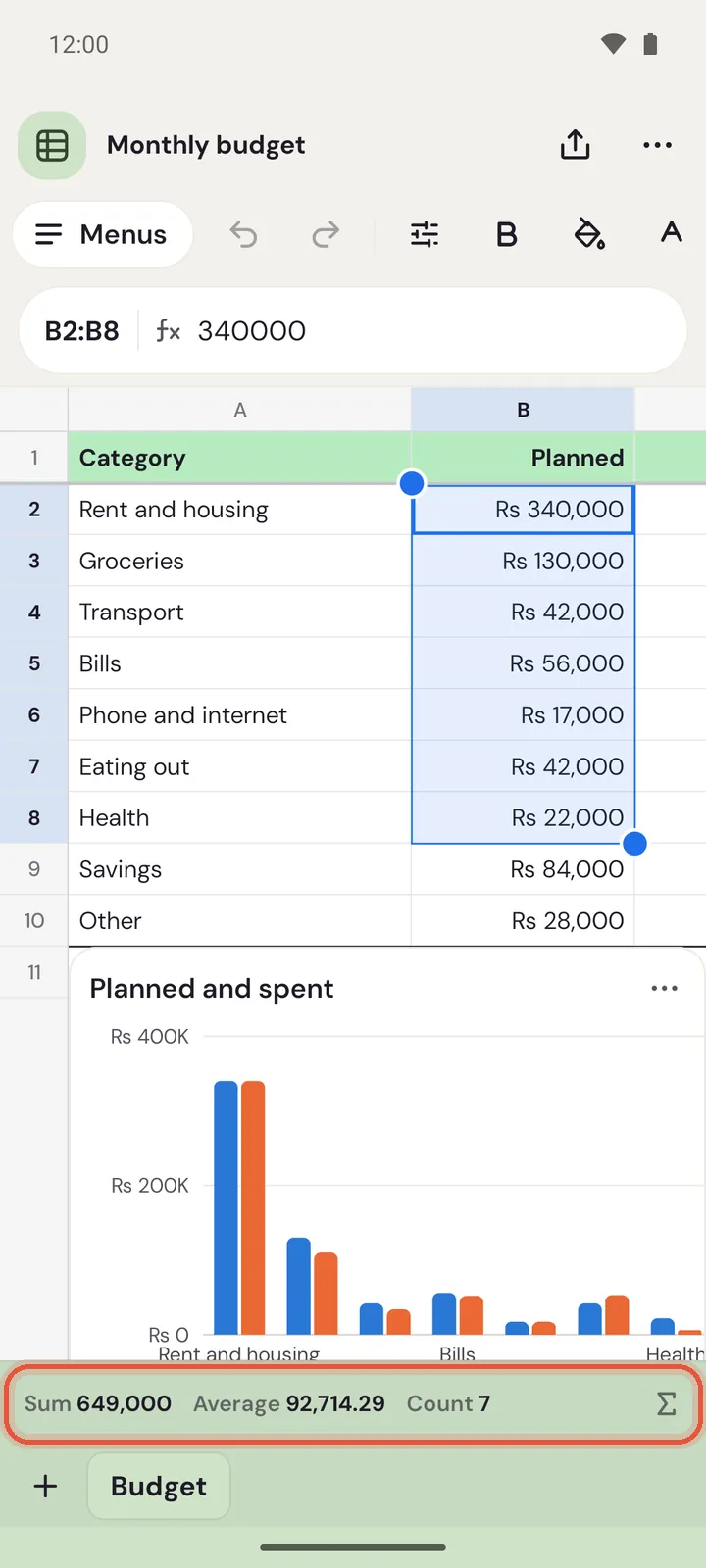
Drag the round handles at the corners of a selection to select more cells. Touch and hold a cell, a row number or a column letter for more: cut, copy, paste, insert, delete, hide and clear.
On the web
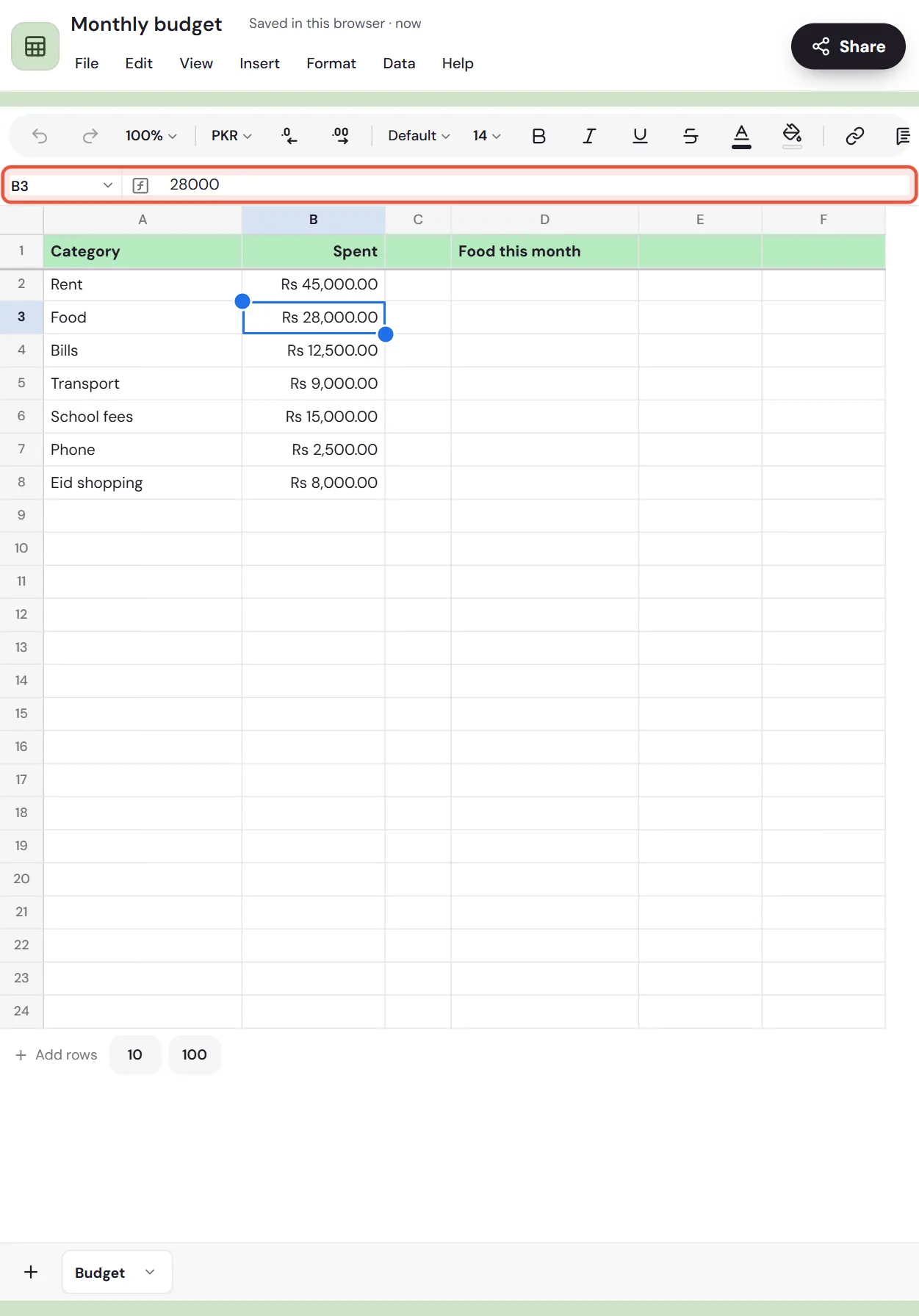
- Click a cell and start typing. Press Enter to finish and move down, or Tab to move right.
- Press
F2or Enter to change what's in a cell. Esc cancels. - Right-click a cell, a row number or a column letter for more.
Copy and paste works with Google Sheets and Excel, both ways.
How Memlow reads what you type
Memlow reads what you type the way your language writes it. Rs 500 becomes a currency, 12% a percent and a date in your usual order a date. Start with ' to keep something as plain text, and with = to write a formula. See Formulas and functions.
Menus and the toolbar
Every action is in the menus: File, Edit, View, Insert, Format, Data and Help. On a computer they're in a bar under the sheet's name. On a phone, tap Menus at the start of the toolbar. Search the menus finds any command by its words.
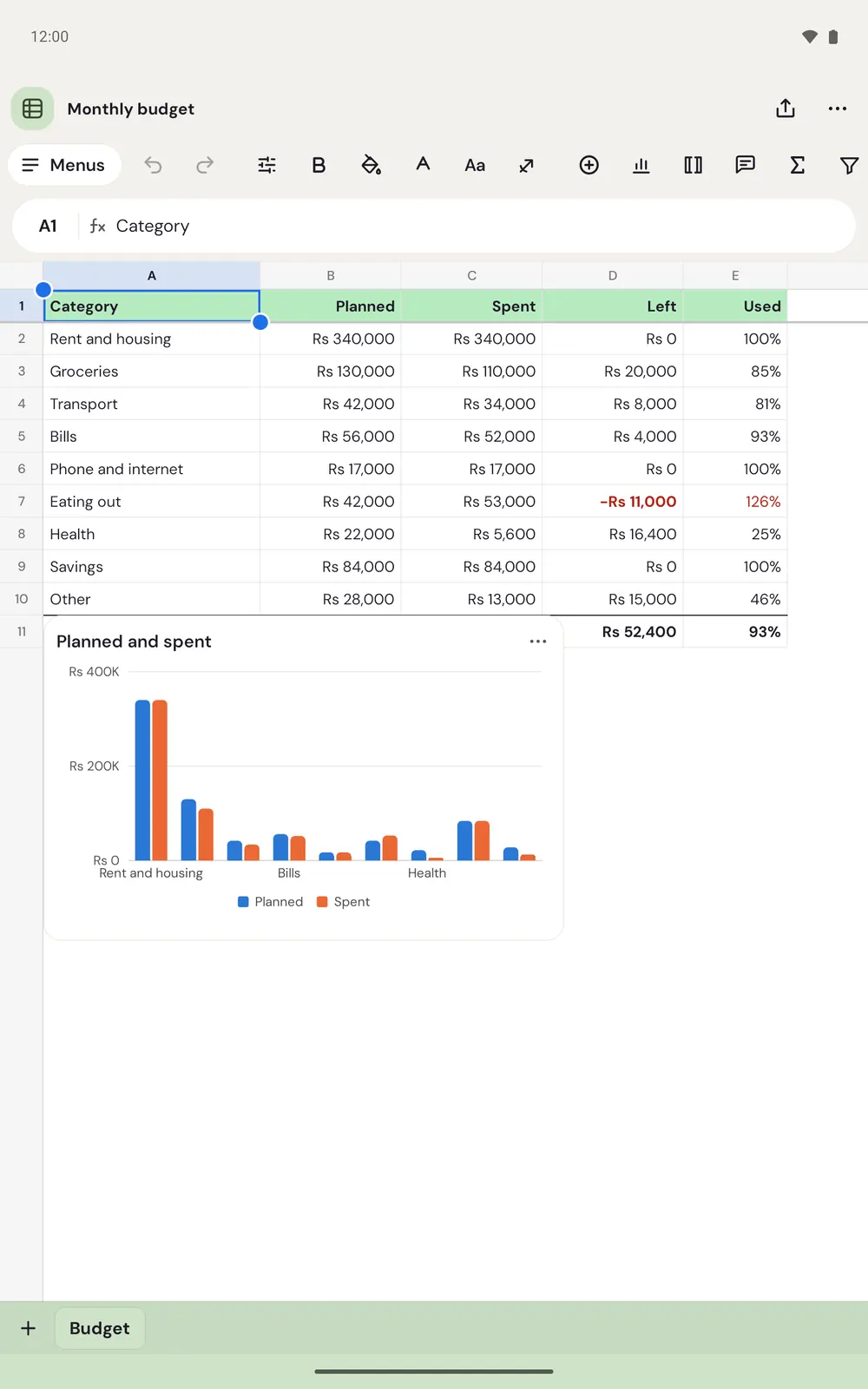
The toolbar holds the everyday things: undo and redo, bold, colours, fonts, links, charts and functions. On Android, Format opens a sheet from the bottom with text, cell and number formats.
On an Android tablet, the whole toolbar fits in one row and you see more columns at once.
Tabs, rows and columns
- Tabs sit along the bottom. Tap
+(New tab) to add one. Each tab has a menu to rename, colour, duplicate, move or delete it. On Android, tap the tab you're on, or touch and hold any tab. On the web, use the small arrow on the tab you're on, or right-click any tab. - Drag the edge of a row number or column letter to resize it. Double-click it on a computer, or double-tap it on a phone, to fit the text.
- To keep a header row in view while you scroll, use
View, thenFreeze. - To add rows, use
Insertin the menus. A sheet inside a note also hasAdd rows(10 or 100) under its last row.
Under the grid, select two or more cells to see their Sum, Average and Count. Tap or click those numbers for Quick stats: the lowest, highest, median and more.
Number formats
Choose Format, then Number format: Automatic, Number, Percent, Currency, Date, Time, Date and time, Duration, Plain text, Rating, Progress bar or Custom number format…. A format changes how a number looks, never the number itself. Currency starts as your own (Rs in Pakistan, for example).
A sheet inside a note
In any note, open the insert menu and choose Sheet from Tables and media, or type /sheet. It starts with 12 rows and 6 columns and scrolls sideways in its own frame. A table in a note can become a sheet too: tap into the table and choose Convert to sheet from its tools.
Limits
A sheet holds up to 20,000 rows, 500 columns and 50 tabs.
Shared sheets
Share a sheet like a note, from Share at the top. Two people typing in different cells at the same time both keep their work. When two people change the same cell, the later change stays. See shared notebooks.
Questions and answers
How do I make a sheet?
Open Sheets and choose Blank sheet or a template under Start a new sheet. You can also choose New sheet from Notes, or type /sheet in a note for a small one.
Where are the sheet templates?
In Sheets, under Start a new sheet: Monthly budget, Expense split, Weekly timetable, Grade tracker, Study planner, Invoice, Project tracker, Habit tracker, Workout log, Inventory, Sales tracker and Attendance.
Can I open Excel files?
Not directly. Save the file as CSV in Excel or Google Sheets, then import it. See Import a CSV or TSV file.
Does Sheets work offline?
Yes. Sheets are notes on your device, so they work without internet. Formulas are worked out on your device too.