
Share a notebook with family or friends
A shared notebook is a folder you share with people you invite: a family shopping list, a trip plan, a study group's notes. Everyone in it sees the same notes, and changes arrive within about a second while it's open. Everything in a shared notebook is end-to-end encrypted, so only the people in it can read its notes.
Before you start
- You need a Memlow account and a username, and so does everyone you invite.
- Google Drive backup must be on. Your sharing key is kept safe with your backup key.
- Sharing a locked folder unlocks it, because everyone in it needs to read its notes.
Share a folder
On the web
- Open the folder, then choose
Sharein the row at the top. - In
Share this folder, chooseShare this folder. - Type their email or @username in
Email or @username. - Under
What they can do, chooseCan editorCan view. - Choose
Invite.
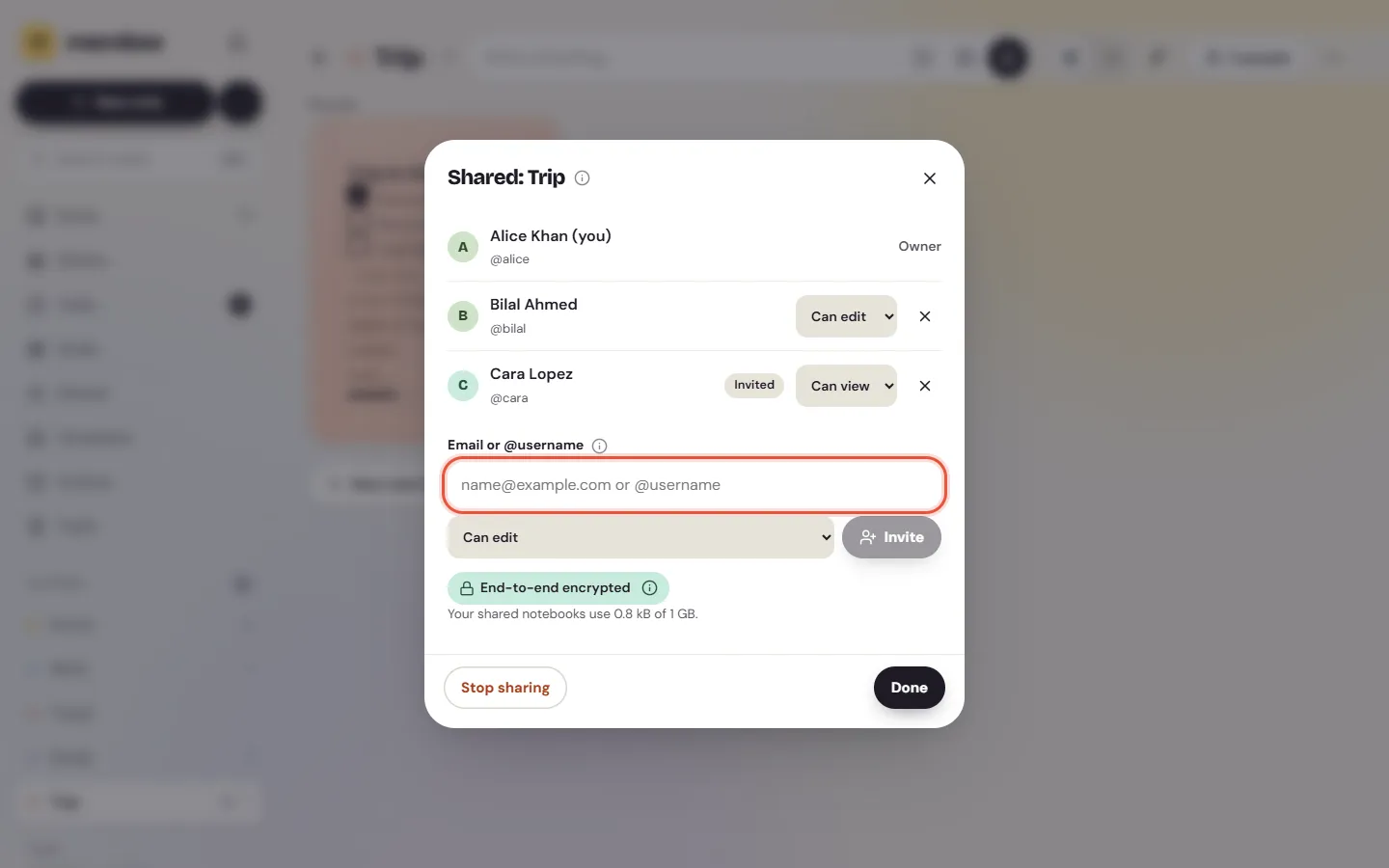
They get an email, and the invitation waits for them in Memlow under Shared. Someone without an account can make one with that address. The invitation waits 30 days.
Accept an invitation
- Open
Shared(underFolderson Android and on a phone's browser, in the sidebar on a computer). Home also shows a banner: "Open Shared to accept". - Find the invitation at the top, and choose
Accept, orDecline. - The notebook appears with your folders, with a people icon. Its notes are ordinary notes.
If it says "Waiting for the owner's Memlow to send the key. Ask them to open Memlow.", the owner's app hasn't sent your key yet. It does the next time they open Memlow.
What each role can do
| Role | What they can do |
|---|---|
| Owner | Everything: rename and recolour it for everyone, invite people, change roles, remove people, stop sharing |
| Can edit | Read and change its notes, add new ones |
| Can view | Read its notes. They open as "View only" |
A notebook can have up to 19 people besides its owner. A note says "Edited by" and a name when someone else changed it last. Tap a person's name or picture to see their profile card.
Working together
- Changes arrive within about a second while the notebook is open on both sides. Typing at the same time keeps both people's words.
- Shared notes can't be locked. To move a locked note in, unlock it first.
- Shared notes aren't in your Google Drive backups. They live in the notebook itself.
- Pins and Archive stay on the device where you set them. Pinning a shared note pins it only there.
- A shared note in Trash goes for everyone after 30 days.
- New notes in a shared folder can start from the
Shared expensestemplate: who paid what, with the total adding itself up.
Leave a notebook
- Open the notebook's sharing sheet:
People and sharing. - Choose
Leave notebook. - Leave
Keep a copy of its notes as my ownon if you want to keep them. They go into a folder of their own.
Its notes then leave this device and your other devices. Everyone else keeps them.
Stop sharing
Only the owner can do this.
- Open
People and sharingon the notebook. - Choose
Stop sharing.
The notebook goes away for everyone you shared it with. Its notes stay with you as your own. To share with a group you invite once, use Teams.
Notebooks nobody uses
If nobody changes a shared notebook for 6 months, its owner sees a notice: the notebook "hasn't been used for 6 months", and the date it stops being shared. Choose Keep sharing to carry on. After 12 months without use, sharing stops and every member keeps the notes as their own. Members see "Your copy stays in your notes."
Privacy and space
Notes, photos and recordings are encrypted on your device before they leave it, with a key only the people in the notebook have. Memlow and its storage provider only ever hold encrypted files. Memlow's server does know who is in each notebook, so it can send invitations. See Where your notes live and what's encrypted.
Each account can keep up to 1 GB in the notebooks it owns. Shared shows Sharing space and Free up space. See Storage is full.
Questions and answers
How do I invite someone?
Open the folder, choose Share, then Share this folder. Type their email or @username, choose Can edit or Can view, and choose Invite. They accept it under Shared.
What can each role do?
The owner manages everything. Can edit reads and changes notes. Can view only reads them. Up to 19 people can join besides the owner.
What happens when I stop sharing?
The notebook goes away for everyone you shared it with, and its notes stay with you as your own. Someone who leaves can keep a copy.