
Teams: invite once, share many times
Memlow teams are groups of people you invite once: your family, a study group, the people at your shop. Anything shared with the team reaches everyone in it, and people who join later get it too. Notes stay end-to-end encrypted, the same as in any shared notebook.
How a team differs from a shared notebook
A shared notebook is one folder with its own list of people. A team is a list of people you can share many folders and notes with. When someone joins the team, they get all its notebooks at once. When someone leaves, they lose them all. You don't invite them notebook by notebook.
Make a team
You need a Memlow account, a username and Google Drive backup, as for any sharing.
- Open
Shared(underFolderson Android and on a phone's browser, in the sidebar on a computer). - Choose
New team. - Give it a name, for example "Family" or "Study group", and pick a colour.
- Choose
Create team.

Invite people
- In
Shared, open the team. - Type an email or @username in
Email or @username. - Beside it, choose
MemberorAdmin. - Choose
Invite.
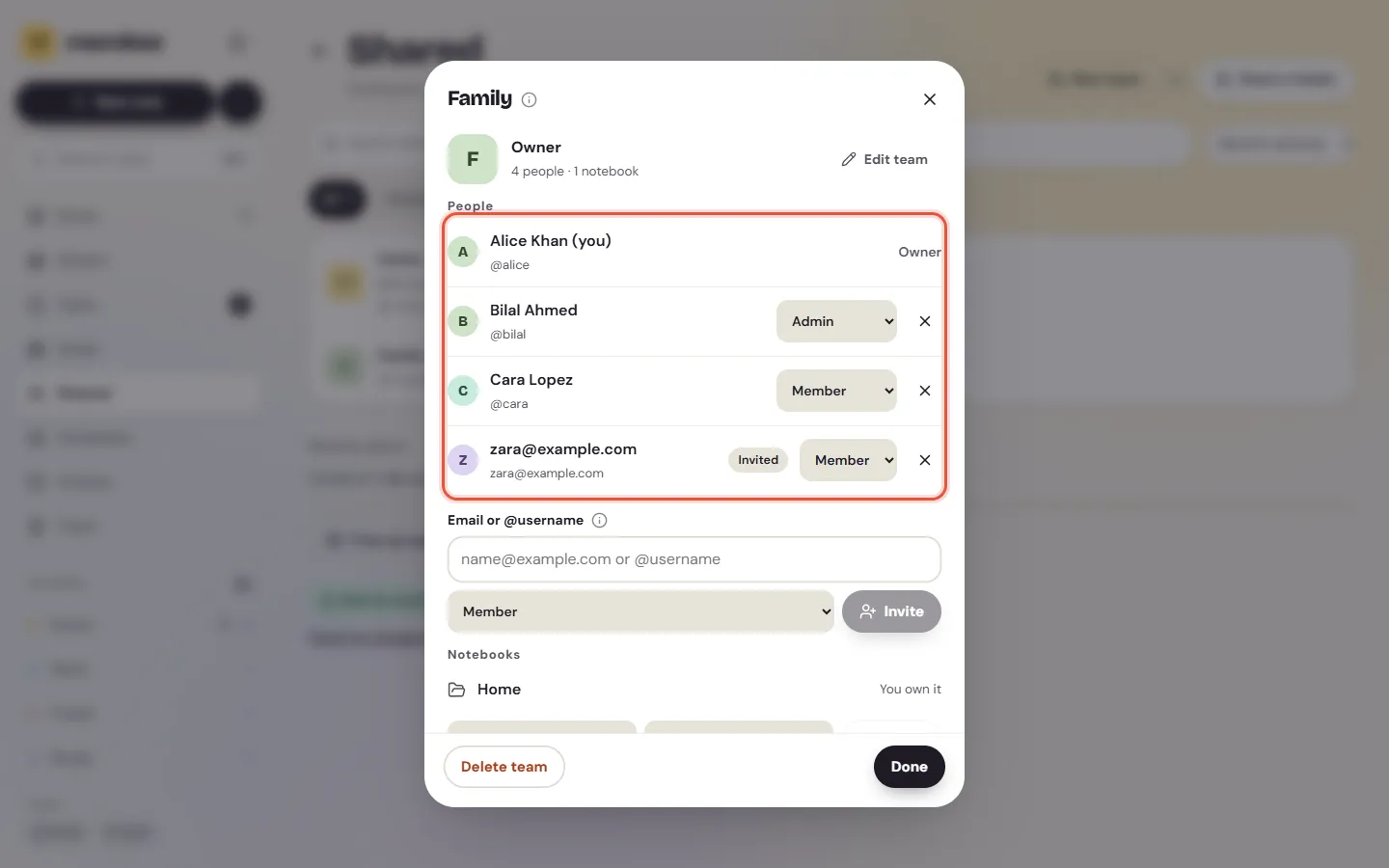
They get an email, and the invitation waits for them under Shared. Someone without an account can make one with that address. An invitation waits 30 days. A team can have up to 50 people, invitations included.
Roles
| Role | What they can do |
|---|---|
| Owner | Everything, including deleting the team and handing it over. There's one owner. |
| Admin | Invite people, take people out (except the owner), change roles, rename and recolour the team, share their own notebooks with it |
| Member | See the team's people and notebooks, and leave |
To hand the team over, the owner finds the person under People and changes their role to Make owner, then confirms with Hand over. It works for someone who has joined. They become the owner, and you become an admin.
Share a notebook or a note with the team
Only the notebook's owner can share it with a team, and only if they're the team's owner or an admin.
On the web
- Open the folder and choose
Share. For a single note, chooseShare…in itsMoremenu. - Under
Share with a team, choose the team. - Choose
Can editorCan view. - Choose
Share.
You can also start from the team: open it in Shared, choose a folder, choose what the team can do, then Share.
In Shared, a notebook shared with a team says "Team:" and the team's name. People in it through the team have a Team mark. Their role comes from the team, so you change it in the team.
People who join later
A newcomer gets every team notebook straight away. Until a team member's Memlow sends them the key, the notebook says "Waiting for a member's Memlow to send the key." That happens the next time someone in the team opens Memlow.
Leave a team
Anyone except the owner can leave.
- Open the team in
Sharedand chooseLeave team. - Leave
Keep a copy of its notes as my ownon to keep copies.
The team's notebooks leave this device and your other devices. Notebooks you shared with the team stop being shared with it; they stay yours.
Delete a team
Only the owner can delete it. Open the team and choose Delete team. The team goes for everyone, and the notebooks shared with it stop being shared. Each owner keeps their notes.
Team goals
A goal in a team notebook is a team goal. Everyone in the team sees its progress and can log it, and its history shows who logged what. See Track goals, habits and streaks.
What Memlow can see
The team's name and colour aren't encrypted, so that invitation emails can name the team. Memlow also knows who is in it and their roles. The notes, photos and recordings in its notebooks are end-to-end encrypted: Memlow can't read them. For more on sharing a single folder, see Share a notebook with family or friends.
Questions and answers
How is a team different from a shared notebook?
A shared notebook is one folder with its own people. A team is a group you invite once, then share any number of notebooks and notes with. People who join later get them all.
Who can share to a team?
The owner of a notebook can share it with a team where they're the owner or an admin. Members can't share their own notebooks with the team.
What happens when someone leaves?
They lose the team's notebooks, and can keep a copy of the notes. Notebooks they had shared with the team stop being shared with it, and stay theirs.