
Track goals, habits and streaks
To track habits and goals in Memlow, make a goal and log what you do. A goal can be a number target (read 20 books, save Rs 50,000) or a habit (walk every day, gym three times a week). It can also be milestones, the steps of a project. Memlow then tells you whether you're ahead, on track or behind, worked out by fixed rules, with no AI.
A goal is a note with its progress on top. It backs up, syncs and can be shared like any note, and it has room below for your own notes.
Open Goals
On Android
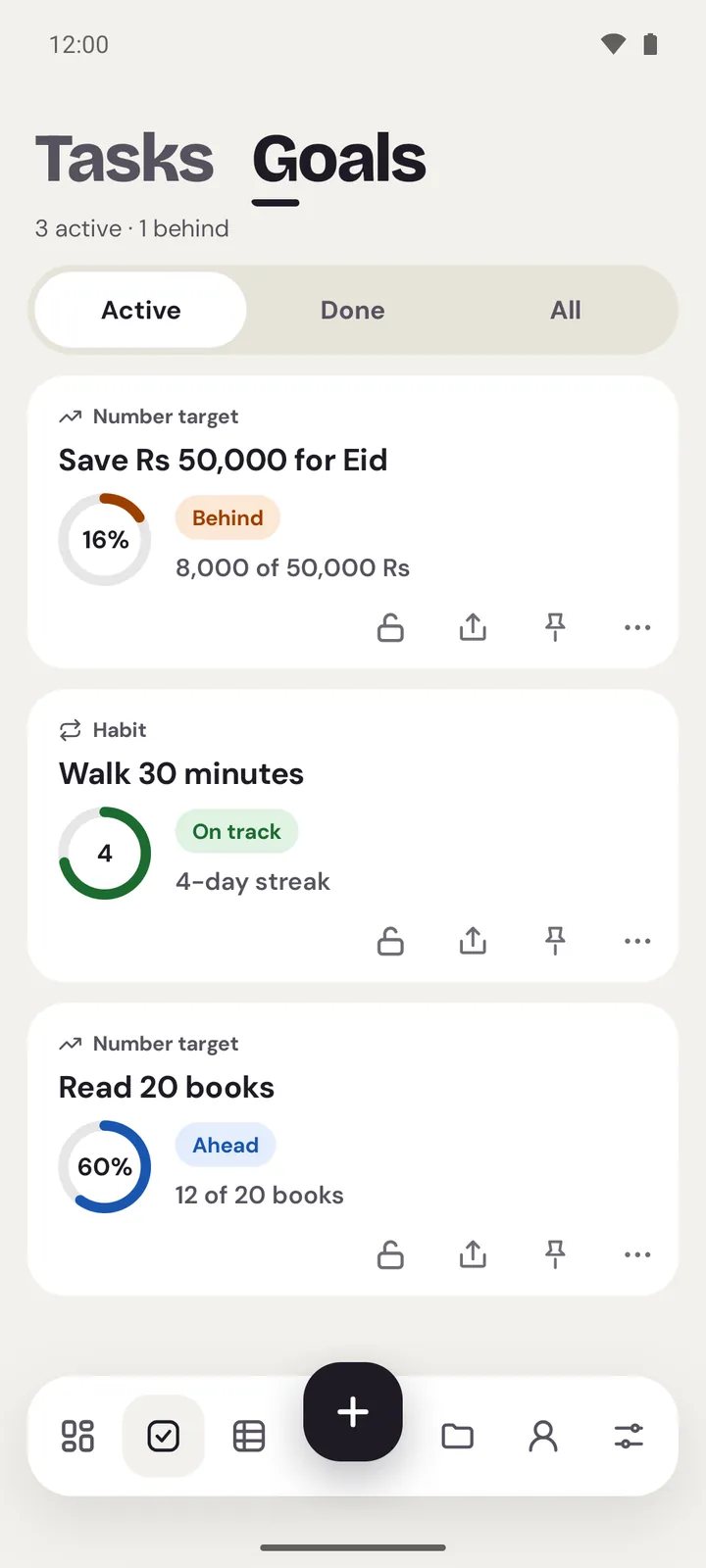
Tap the checklist icon in the bar along the bottom, then Goals at the top. Tasks and Goals share that place.
On the web
On a computer, choose Goals in the sidebar. On a phone's browser, tap the checklist icon in the bar along the bottom, then Goals at the top.
The goals are listed with the most urgent first: those behind, then missed ones, then the rest. Use Active, Done and All at the top to filter them.
Make a goal
On Android
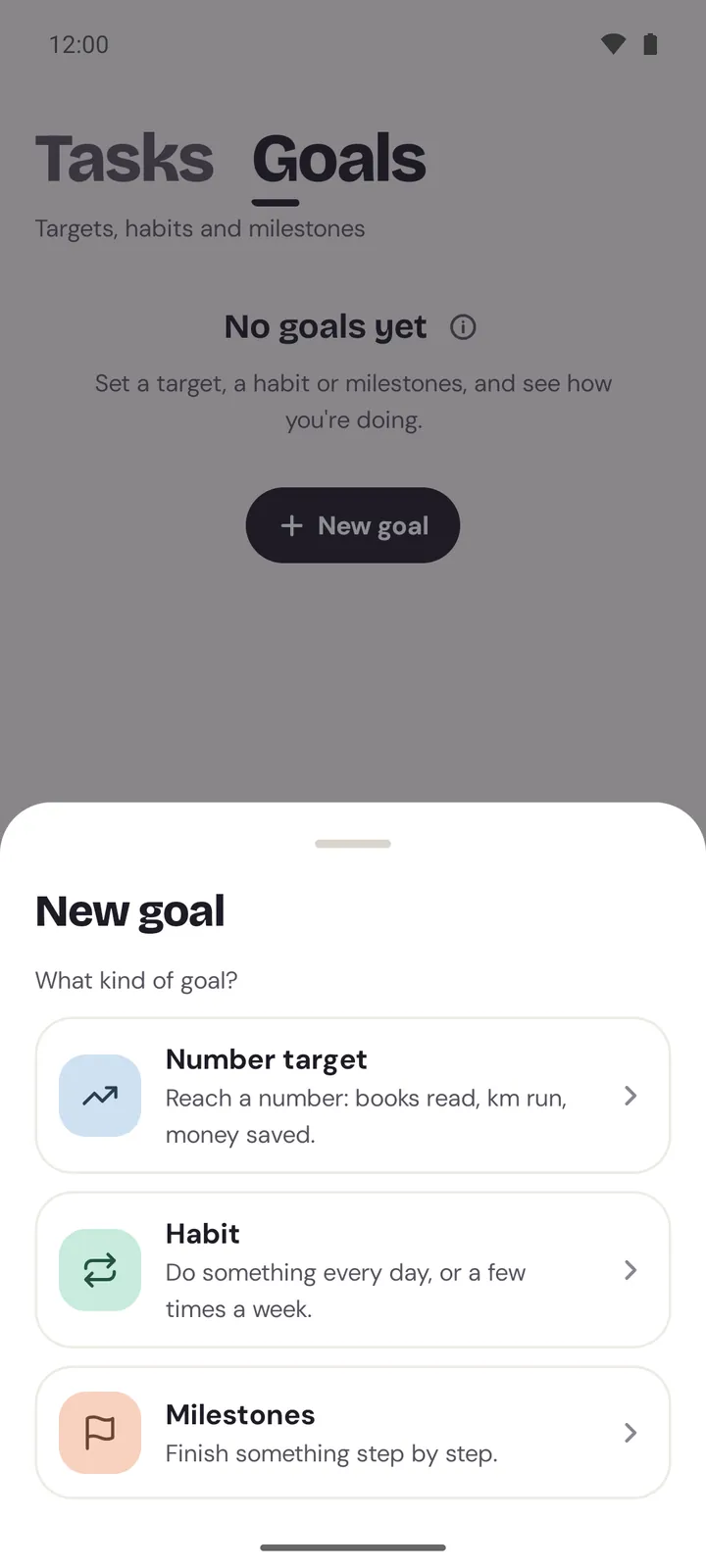
- Open Goals and tap the
+in the bar (orNew goalwhen you have none yet). - Pick
Number target,HabitorMilestones. - Give it a name and fill in the short form (below).
- Tap
Create goal. The goal opens.
On the web
- Choose
New goalon the Goals page. On a computer it's also underMore ways to start, the arrow besideNew notein the sidebar. - Pick
Number target,HabitorMilestones. - Give it a name and fill in the short form.
- Choose
Create goal.
To make a goal inside a folder, open the folder and use its own button: New goal on Android, New goal here on the web. In a shared notebook it's New team goal.
What each kind asks
| Kind | What you fill in |
|---|---|
Number target | Target, Unit (books, km, Rs), How you log, and a Due date if you want one |
Habit | How often: Daily on the days you pick, Weekly with Times a week, or Monthly with Times a month |
Milestones | The Steps, one per line (Add a step for more), and a Due date if you want one |
More options holds the Start date, a habit's End date, a number's Start value and the Folder.
For a number target, How you log decides what a new entry means. Add amounts adds each one up, like pages read or kilometres run. Set the value takes where you are now, like your weight or your savings. A target below the start (90 to 80 kg) works too.
Log your progress
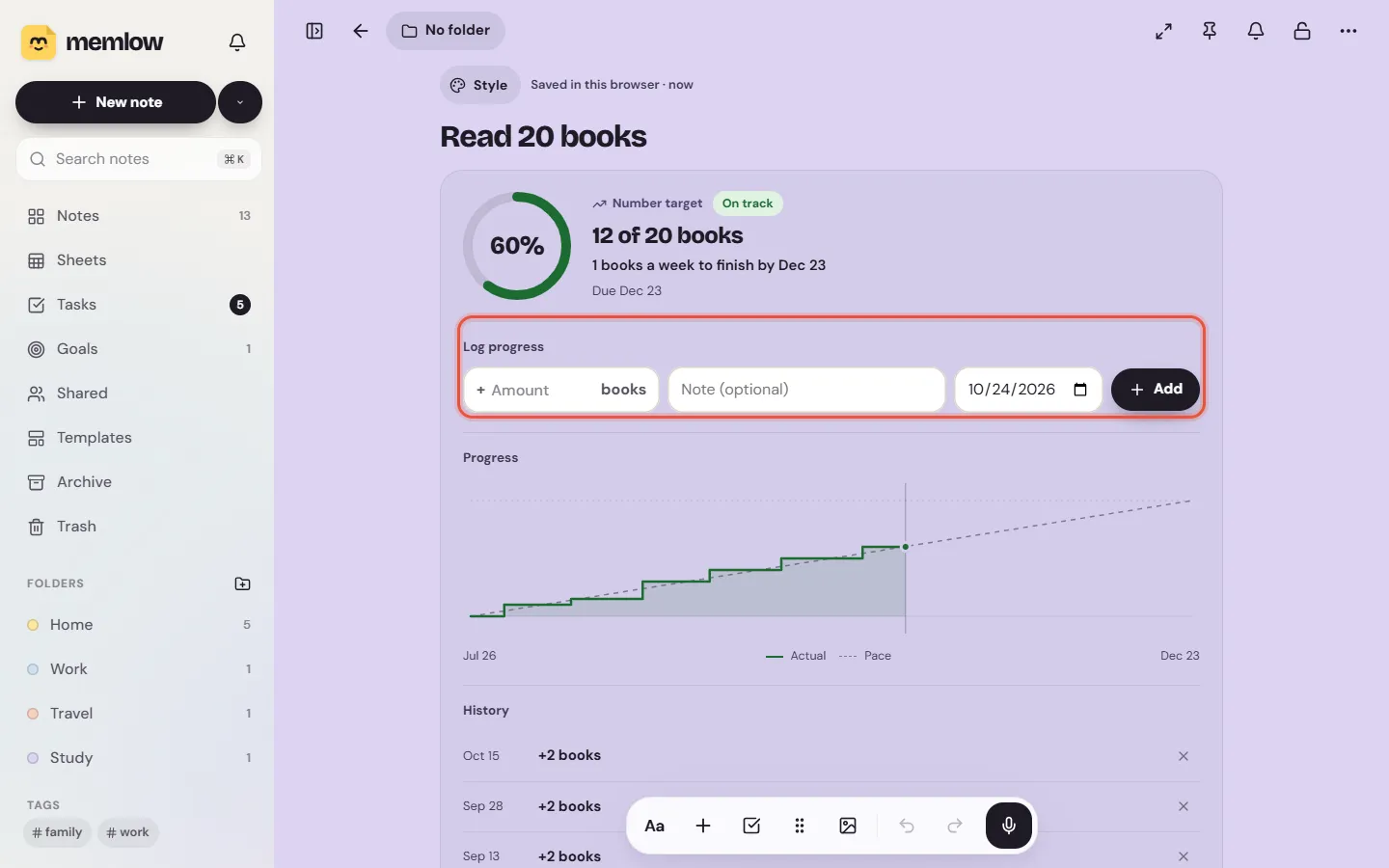
Open the goal. Its page shows a ring, its status and a line such as "12 of 20 books", then Log progress.
- For a number target, type an
Amountand chooseAdd, or aNew valueandUpdatewhen the goal sets the value. You can pick anotherDayand add a note. - For a habit, tap
Check in today. It then saysChecked in today, withUndo. UseAnother day or a noteto check in for a day you forgot to log. Each day counts once. - For milestones, tick each step as you finish it. You can add steps and give each its own due date.
Every entry goes into History, where you can remove one if you logged it by mistake.
How Memlow decides ahead or behind
| Status | What it means |
|---|---|
Ahead | You're further than the steady pace to your due date |
On track | You're close to that pace |
Behind | You've fallen behind it |
Done | Target reached, every step done, or this week's or month's habit done |
Missed | The due date passed before you finished |
- A number target compares where you are with a straight line from the start to the due date. Being off that line by more than 5% of the whole distance counts as ahead or behind. It also tells you what it takes, for example "2 books a week to finish by 31 Dec". Without a due date there's no status, only progress.
- A daily habit is behind when the last day it was due has no check-in. A weekly or monthly habit is ahead or behind by a whole check-in against the pace.
- Milestones are behind when a step is past its due date, and ahead when you've done more steps than are due by today.
- Before its start date a goal says
Not started. A habit past its end date saysEnded.
Streaks
A habit's Streak counts the days, weeks or months in a row that met the target. The day or week you're in doesn't break it until it ends, so a streak doesn't drop to zero in the morning. Best is your longest run. The habit's page also shows how many of the last 12 periods you met, and a calendar of the last 12 weeks.
Change a goal
Open the goal, open the note's menu (⋯) and choose Edit goal. You can change its name, numbers, dates and how often. The kind can't change: make a new goal for that.
Get a reminder for a goal
Use the bell at the top of the goal, as for any note. For a habit, the reminder starts out repeating on the habit's days. See Set, repeat and snooze reminders.
Team goals
A goal in a shared notebook is a team goal. Everyone in the notebook sees its progress and can log, and History shows who logged what. People who can only view the notebook can't log. See Teams and shared notebooks.
Goals on your home screen
On Android, the Goals widget shows up to four goals with their rings, and One goal shows one with a quick Check in or +1. See Home-screen widgets.
Questions and answers
What kinds of goals are there?
Three: a number target (reach a number by adding amounts or setting the current value), a habit (every day, on chosen days, or a number of times a week or month) and milestones (a list of steps).
How do streaks count?
A streak is the number of days, weeks or months in a row in which you met the habit's target. The one you're in doesn't break the streak until it's over.
Can I share a goal with a team?
Yes. Make the goal in a shared notebook, or move it there. Everyone in it can see it and log, and the history shows who did what.
Does Memlow use AI to judge my progress?
No. Ahead, on track and behind come from fixed rules about your dates and numbers, the same on Android and the web.