
Make a chart from your sheet
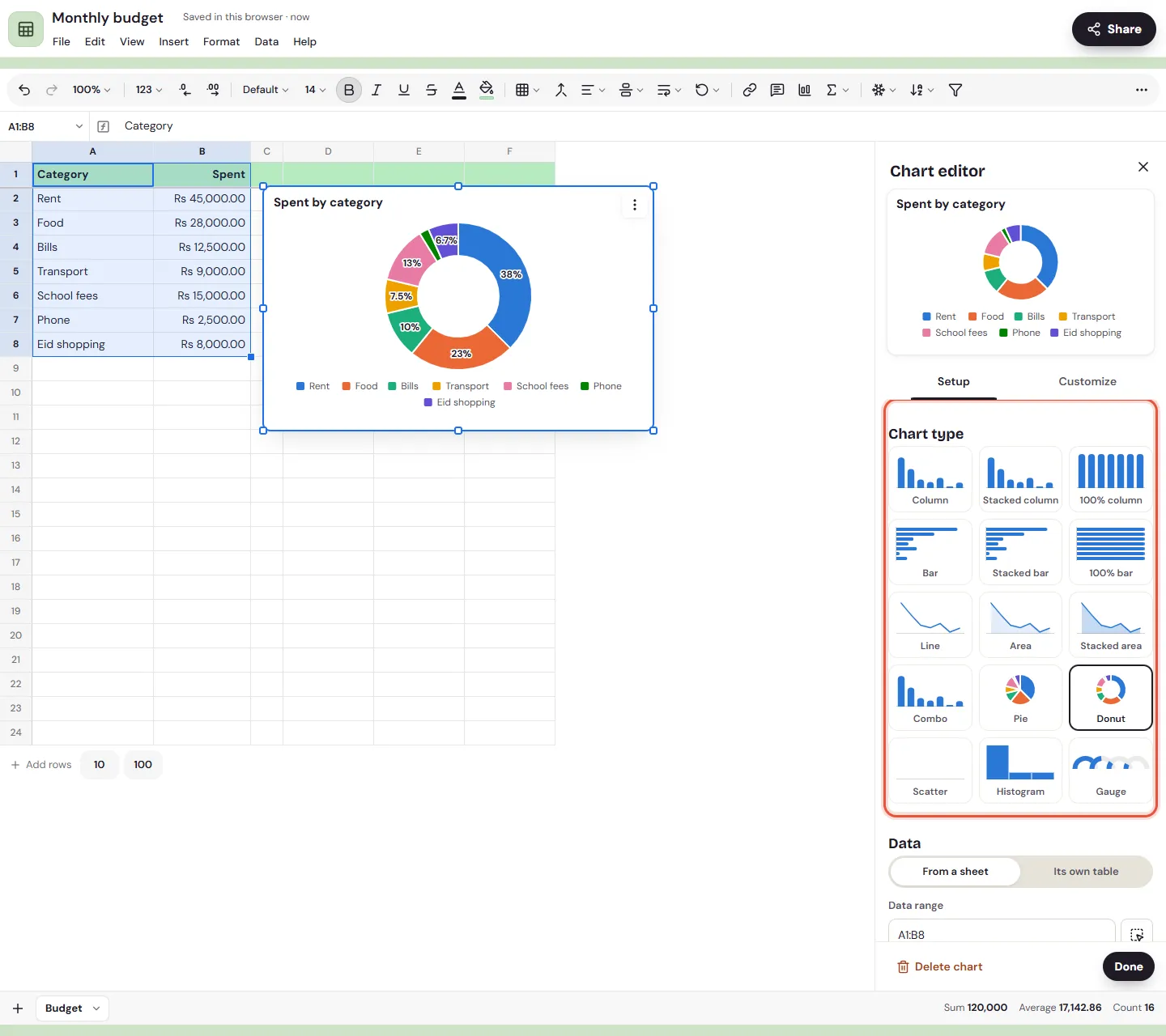
To make a chart from a spreadsheet in Memlow, select the cells with your data and choose Insert, then Chart. Memlow draws a chart beside the data and opens the chart editor, where you pick the type and change how it looks. The chart follows the sheet: change a number and the chart changes too.
Charts are drawn by Memlow itself, on your device, and work offline. The default colours are chosen to stay apart for people with colour blindness.
The 15 chart types
| Family | Types |
|---|---|
| Columns and bars | Column, Stacked column, 100% column, Bar, Stacked bar, 100% bar |
| Lines and areas | Line, Area, Stacked area, Combo (columns with a line) |
| Parts of a whole | Pie, Donut |
| Spread and single values | Scatter, Histogram, Gauge |
A pie suits a month's spending by category. A line suits sales over the weeks, a histogram how a class's marks spread, and a gauge one number against its target.
Make a chart in a sheet
- Select the cells, with the names in the first row or column, for example categories in A and amounts in B.
- Choose
Insert, thenChart, orChartin the toolbar. - The chart appears beside your data, and the
Chart editoropens. - Under
Setup, pick theChart type. - Choose
Done.
With only one cell selected, Memlow uses all the filled cells on the tab.
Move, resize or give a chart its own tab
- Drag a chart to move it. On Android, tap it first to select it, or touch and hold it and drag.
- Drag the handle at its corner to make it bigger or smaller.
- Open its
⋯menu forEdit chart,Move to its own tab,Export as PNGandDelete chart. On the web there's alsoExport as SVG.
A chart on its own tab fills the tab. To put it back next to the data, open that tab's menu and choose Move back to the sheet.
Change a chart's data
Open the chart editor: double-tap the chart on Android, or choose Edit chart from its menu. Under Setup:
Data rangesets the cells it uses. Type a range such asA1:C12, or select cells in the sheet and chooseUse the selection.X axispicks the column for the labels along the bottom.Serieslists each set of numbers. Remove one from the chart, or put it back underAdd series.Row 1 as headersandColumn A as labelstell Memlow whether the first row and column are names or data.Series in rowsswaps rows and columns.Aggregateadds up rows with the same label (Sum,Average,Count,SmallestorLargest). It turns a long list of expenses into one bar per category.Include hidden rows and columnsdraws data you've hidden in the sheet too.
Change how it looks
Under Customize:
Chart style: theBackground, theFontand, in a note, the size.Chart and axis titles: a title, a subtitle and a name for each axis.- Each series' colour, and for lines and points their style.
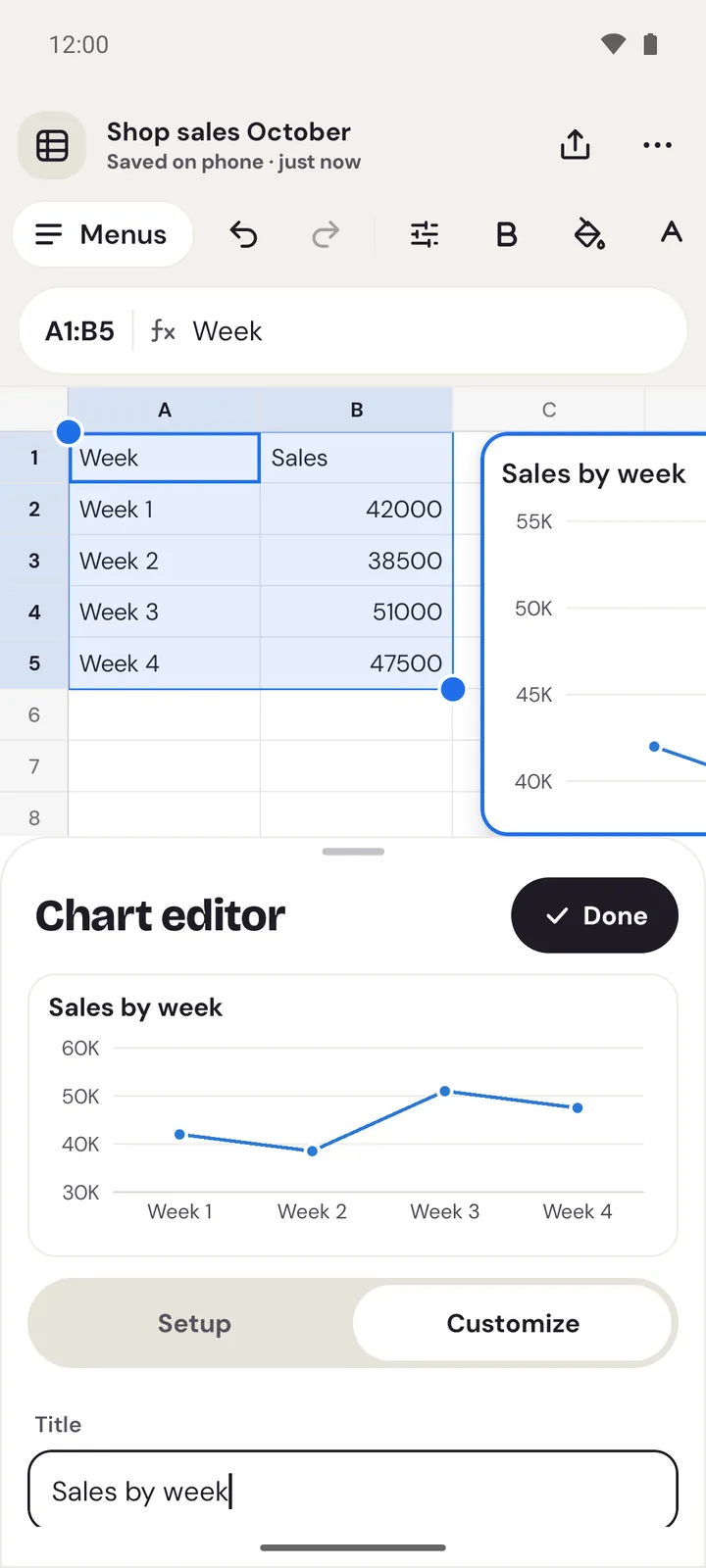
Legend:Below,Above,At the start,At the endorNone.Gridlines, the axes' minimum, maximum and step, and the number format.Data labelsto show the values on the chart.Description for screen readers. Leave it empty and Memlow describes the chart from its data.
Every change shows in the chart at once.
A chart inside a note
A chart can sit in an ordinary note, among your words.
- With a sheet in the note, use
Insert chartin the sheet's tools. The chart goes under the sheet and follows it. - Without a sheet, open the insert menu and choose
Chart, or type/chart. This chart keeps its own small table of numbers, which you fill in the chart editor.
A chart in a note has Edit, Show data table, Export as PNG (and Export as SVG on the web) and Delete chart in its menu. Charts print with the note, and go into its PDF. See Print a note or save it as a PDF.
When a chart says its sheet isn't here
If you delete the sheet, tab or cells a chart used, the chart in a note says "The sheet this chart used isn't here" (or the tab, or the cells). Choose Use its own data to keep the last numbers it showed as its own table, or Remove to delete the chart.
See the exact values
Tap a point, bar or slice, or hover over it on a computer, to see its value. Show data table lists every number under a chart in a note.
Questions and answers
Which chart types are there?
15: column, stacked column, 100% column, bar, stacked bar, 100% bar, line, area, stacked area, combo, pie, donut, scatter, histogram and gauge.
How do I change a chart's data?
Open the chart editor (Edit chart in the chart's menu) and, under Setup, change the Data range, the X axis or the series. The chart follows the sheet, so changing the numbers in the cells changes it too.
Can I save a chart as a picture?
Yes. Use Export as PNG in the chart's menu. The web app can also save it as SVG.
Do charts go into PDFs?
Yes. A note's PDF and printout include its charts, drawn as they are on screen.