
What a team is
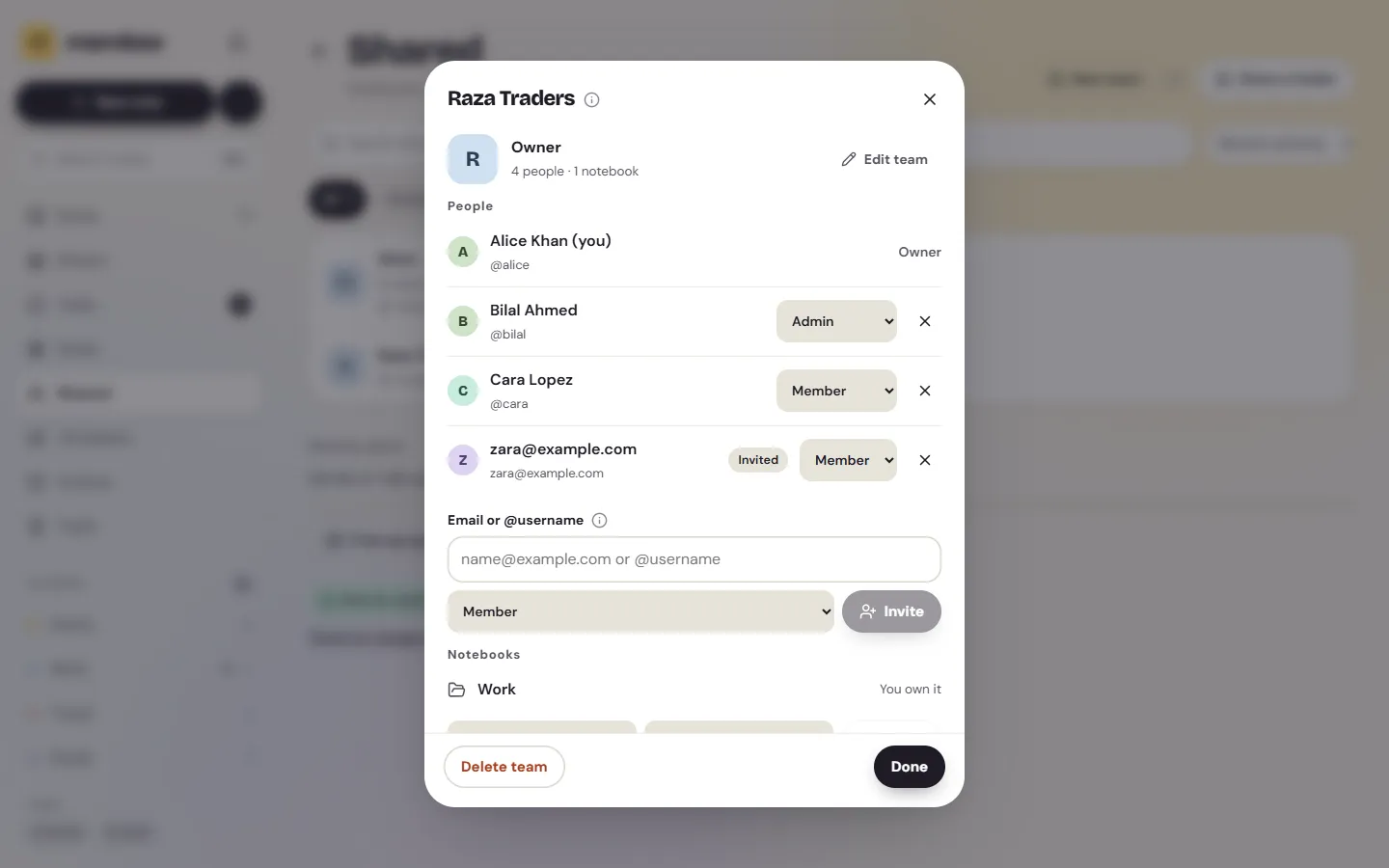
Sharing one notebook at a time works for a family list. A shop with four staff or an office with ten people needs something steadier. In Memlow you make a team once, invite everyone, and then share notebooks with the team instead of person by person. Someone who joins later gets every team notebook straight away; someone who leaves loses them.
Teams live under Shared, on Android and on the web. Each team has a name, a colour, its people, its notebooks and its goals.
Roles and limits
- Owner: one per team. Does everything, and is the only one who can delete the team or hand it over to someone else.
- Admin: invites people, takes people out, changes roles between Admin and Member, renames the team and shares their own notebooks with it.
- Member: sees the team's people and notebooks, works in them, and can leave.
A team holds up to 50 people, invitations included, and one account can own up to 20 teams. An invitation waits 30 days. Someone without a Memlow account can make one with the invited email address.
Team notebooks
Share a folder with the team and choose Can edit or Can view. Everyone's changes arrive within about a second, and when two people type in the same note at once, both keep their words. Shared notes say who edited them last and when, and tapping a person opens their profile card with their headline and organization, if they've chosen to show them.
Single notes can be shared with a team too, from the note's Share. Each person's sharing space is 1 GB, counted against whoever shared the notebook.
Team goals
Goals in a team notebook belong to everyone. A sales team can track "Rs 500,000 this month", a reading club "40 books this year", and anyone can add to it. The goal's history says who logged what, and the ring shows whether the team is ahead, on track or behind. See goals and habits.
Protected ranges in shared sheets
In a shared sheet, protect the cells that shouldn't change. Choose who may edit them: only the owner, the owner and chosen people, or anyone after a warning. Everyone else can still read them. A shop owner can let staff fill in today's sales while keeping the prices column to herself. More on Memlow Sheets.
Privacy, and what teams don't do
Team notebooks are end to end encrypted: Memlow's servers pass them along without being able to read them. The team's name isn't encrypted, because invitation emails show it. Sharing needs a free Memlow account with Google Drive backup turned on.
Teams are kept simple on purpose. There's no admin console, no single sign-on, and no audit log beyond "Edited by". A team tops out at 50 people. A large company that needs those would be better served by a workplace suite.

