
Microphone or voice typing not working
When the microphone is not working in Memlow, the cause is usually a permission: Memlow, or your browser, isn't allowed to use it. Voice typing has one more need: your phone's or browser's own speech recognition, in the language you speak. Memlow itself never listens in or uses AI.
What you might see
On Android
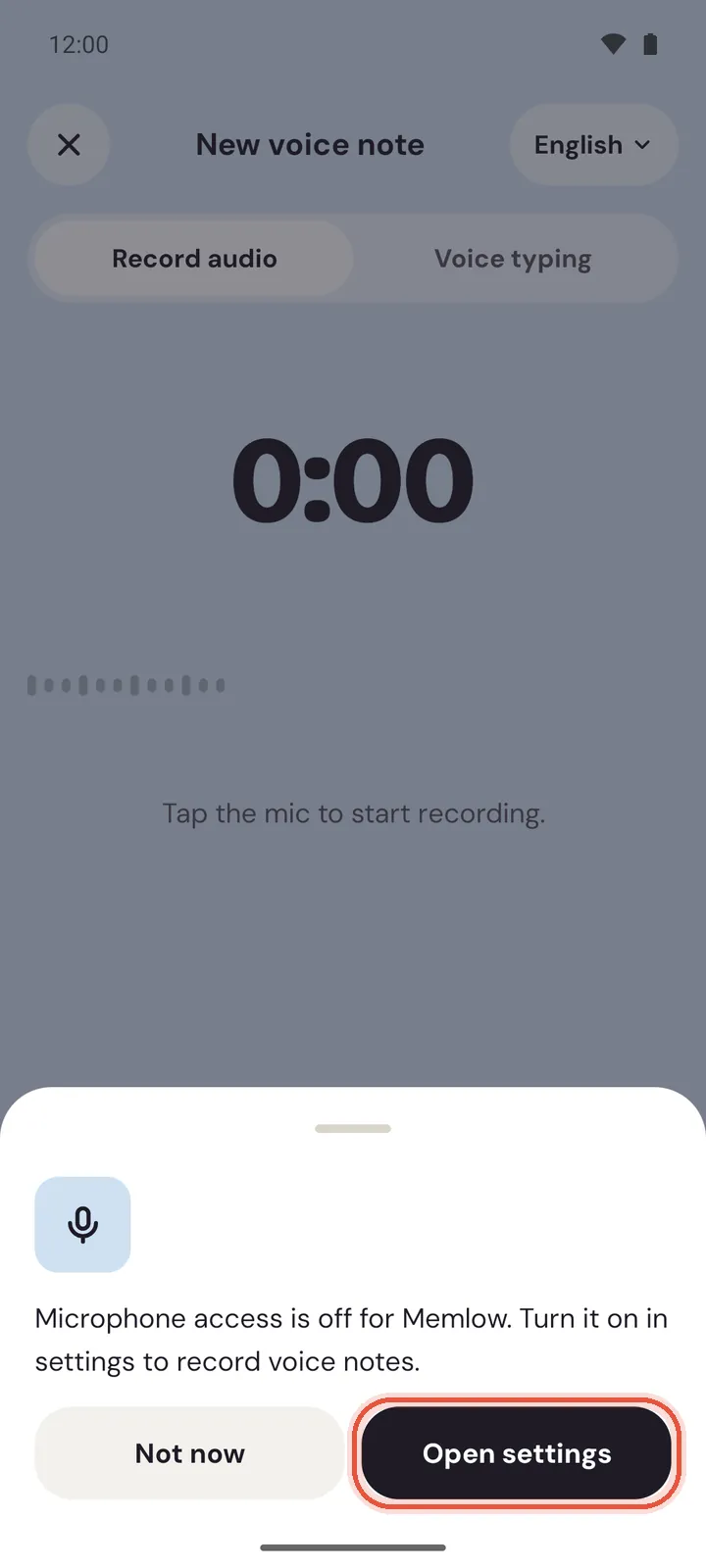
- "Microphone access is off for Memlow. Turn it on in settings to record voice notes."
- "Couldn't start recording. Is another app using the microphone?"
- "Voice typing stopped. Tap the mic to try again."
- "Your phone's speech service can't do this language offline. Install offline speech in your phone's settings, or connect to the internet."
- The voice screen has no
Voice typingchoice, only recording.
On the web
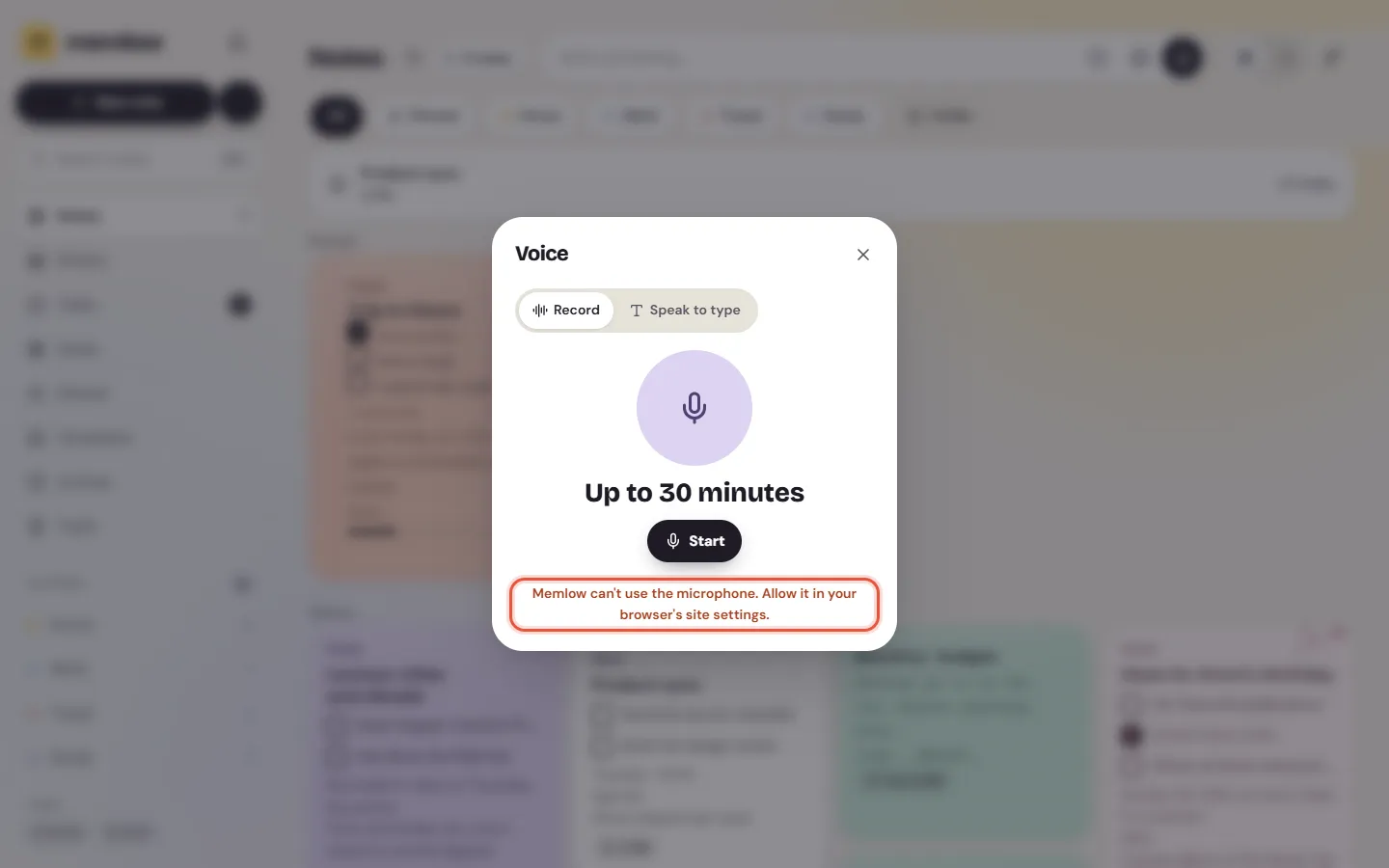
- "Memlow can't use the microphone. Allow it in your browser's site settings."
- "Speech recognition stopped. Try again."
- The
Voicesheet has noSpeak to typechoice.
The microphone isn't allowed
This is the most common cause.
On Android
Memlow asks for the microphone the first time you tap the record or mic button. If you said no, or turned it off later:
- Tap the mic again. Memlow says "Microphone access is off for Memlow" and offers
Open settings. - Tap
Open settings, thenPermissions, thenMicrophone. - Choose to allow it while using the app.
- Come back to Memlow and tap the mic.
On the web
- Select the site settings icon at the start of the address bar, on app.memlow.com.
- Set the microphone to allow.
- Reload the page and try again.
- Still blocked? Your computer may block the browser itself. On Windows, open
Settings, thenPrivacy & security, thenMicrophone, and let apps and desktop apps use it. On a Mac, openSystem Settings, thenPrivacy & Security, thenMicrophone, and turn it on for your browser.
Another app is using the microphone
A phone call, a video call, another recorder or a voice assistant can hold the microphone. On Android, Memlow says "Couldn't start recording. Is another app using the microphone?"
- Finish the call, or close the other app or browser tab that records.
- Come back to Memlow and tap the mic again.
Voice typing stops or hears nothing
Voice typing stops when it hears silence for a while, or when the speech service loses the connection.
- Tap the mic again (on the web,
StartorContinue) and speak soon after. - Move somewhere quieter, and hold the phone a little closer.
- Check your internet connection. Speech recognition often needs it.
The speech language doesn't match
Voice typing listens for one language at a time. Speaking Urdu while it listens for English gives odd words or none.
On Android
- On the voice screen, tap the language name at the top, or open
Settings, thenVoice, thenVoice typing language. - Pick the language you speak.
Same as app languagefollows Memlow's language. - To type by voice without internet, tap
Download offline speechunderVoice(when your phone offers it). Memlow says "Your phone's speech service started the download".
On the web
Speak to type listens in Memlow's own language. To change it, open Settings, then Appearance, then Language.
Voice typing isn't offered
Memlow uses the speech recognition your device already has.
On Android
If the voice screen shows only recording, your phone has no speech recognition service turned on. Recording works either way.
- Search your phone's settings for "voice input" or "speech recognition".
- Turn on a speech service there, then open the voice screen again.
On the web
If the Voice sheet shows only recording, your browser doesn't offer speech recognition.
- Open app.memlow.com in a recent version of Chrome or Edge.
- Open the
Voicesheet and chooseSpeak to type.
The browser's speech service may send the audio to its provider (such as Google) to turn it into text. Memlow says so in the sheet's (i).
Recording stopped by itself
A recording can be up to 30 minutes long. On Android, Memlow says "Recording stopped at 30 minutes. Save it to keep it."
- Save the recording.
- Start a new one to carry on.
Still not working?
Write to [email protected]. Please include:
- your Memlow version (Android:
Settings, thenAbout, thenVersion; web:Settings, thenAbout); - your phone's make, model and Android version, or your browser and computer;
- the exact message Memlow shows (a screenshot is best);
- whether it's recording or voice typing that fails, and in which language.
For how voice notes and voice typing work, see Voice notes and voice typing.
Questions and answers
Which permission is missing?
The microphone. On Android, allow it for Memlow in App info, Permissions. On the web, allow it for app.memlow.com in the browser's site settings, and for the browser in your computer's privacy settings.
Why doesn't voice typing start?
Voice typing needs your device's own speech recognition, usually with internet, in the language you speak. Check the voice typing language, your connection, and that your phone or browser offers speech recognition.
Does voice typing use AI from Memlow?
No. Memlow has no AI. Voice typing uses your phone's or browser's own speech service, which may send audio to its provider to turn it into text.