
Note elements

Toggles, dropdowns, dates and moods, inside any note

Notes can hold more than text. Fold an answer under a question, pick a status from a dropdown, count down to an exam and log today's mood, all in the same note.

  • Free
  • Private
  • No AI
  • Works offline
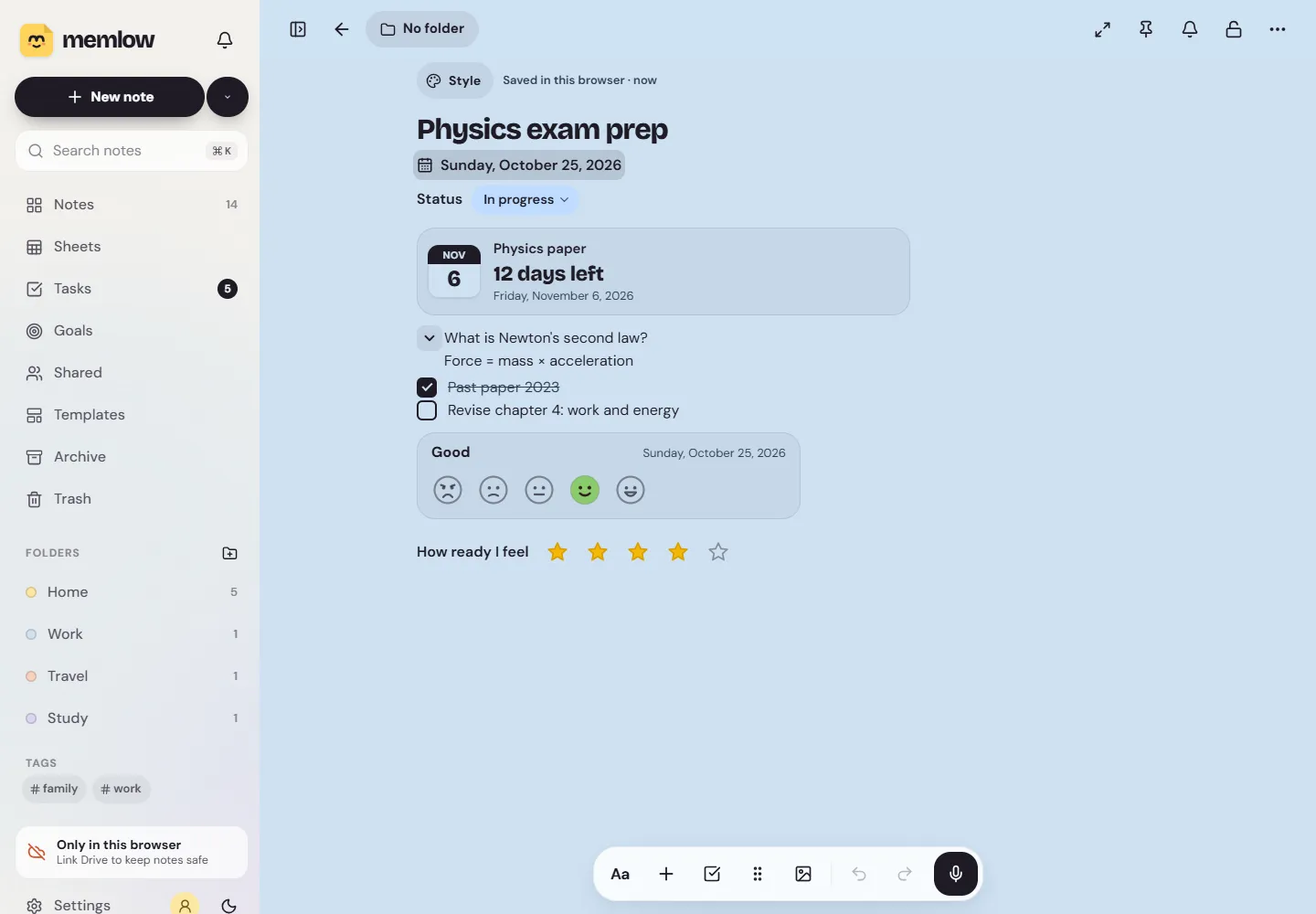
A Memlow note called Physics exam prep with today's date, a Status dropdown set to In progress, a 12 days left countdown, an open toggle, a checklist, a mood and a star rating
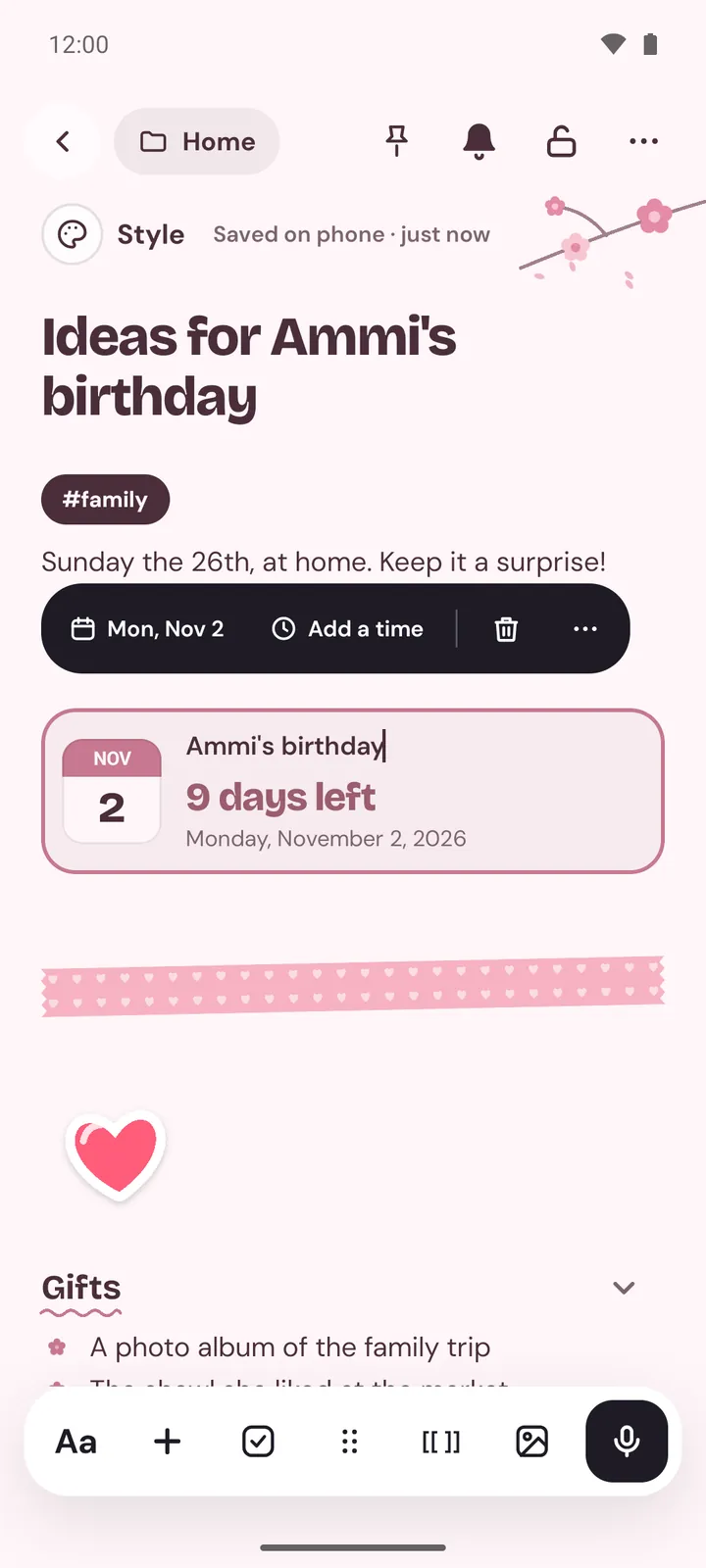
A note on Android with a countdown to a birthday, washi tape and a heart sticker
  • TogglesA line with ▸ that opens to show what's inside. They nest.
  • DropdownsPick one option from a coloured list you make, like Status: Done.
  • Date and countdownToday's date, or "12 days left" to the exam, updating itself.
  • Mood and ratingFive faces for the day, and stars, hearts or faces with a label.
How it works

Three steps, then it's yours

  1. Press +Or type / on an empty line.
  2. Pick an elementToggle, Dropdown, Date, Countdown, Mood, Rating and more.
  3. Fill it inEverything saves as you go, on your device.

Toggles that fold

A toggle is a line with a ▸ beside it. Tap the arrow and it opens to show the lines inside; tap again and they fold away. Put a question on the toggle and the answer inside, and you have flashcards for revision. Toggles can hold anything a note holds, other toggles included.

Add one from the + menu, type /toggle, or type > and two spaces at the start of a line. Each device remembers which toggles you left open. A PDF prints them all open, and Markdown export writes them as <details>, which Memlow reads back as toggles on import.

Dropdowns with coloured options

A dropdown is a small coloured pill with a label in front: "Status: In progress", say. Tap it to pick another option. A new one starts with Not started, In progress and Done, and you can rename them, add more, put them in order and give each one of nine colours. In a shared note everyone picks from the same list.

Add one from the + menu or with /dropdown. It suits an assignment's status, an order's stage or a job's priority. For a grid of dropdowns, use a sheet: its cells can have them too.

A date, a countdown, a mood and a rating

  • Date: a date shown in full, or as "in 3 days". Handy at the top of a diary entry.
  • Countdown: a title and a date, with an optional time. It says "12 days left" and updates itself.
  • Mood: five faces, from awful to great, with the day it was picked.
  • Rating: one to five stars, hearts or faces, with your own label, such as "How ready I feel".

A screen reader reads a rating as "4 of 5".

Stickers, washi tape, dividers and callout cards

Some notes should look nice as well as work. Add one of 24 drawn stickers or any emoji, in small, medium or large. Lay a strip of washi tape in one of 8 patterns, or a divider in one of 9 styles, from a plain line to stars and florals. Callout boxes come as info, tip, success, warning, danger or note, and can also be a sticky note, a quote card or a key idea card.

They go everywhere your notes go

Every element works the same in the Android app and on the web, syncs between them, goes into backups and shared notebooks, and prints in a PDF. A note made with a newer Memlow is kept as it is by an older one, never flattened. Toggles and dropdowns and Dividers, stickers, countdowns and more have the steps.

Privacy, in plain words

Your notes stay yours.

No adjectives, just how it works. Memlow's servers never receive your personal notes, so there is nothing of yours for us to read, sell or lose. What you share is stored there encrypted end to end, so only the people you share with can read it.

Read the privacy policy

Where notes live
On your device: the phone's storage, or your browser's own storage on the web.
Accounts
A Memlow account never holds your notes. It keeps only your name, email and how you sign in.
Backups
Optional, in your own Google Drive or a file, encrypted on your device with your password (AES-256-GCM) before they leave it.
Who can read them
Only you. Not Google, not us. That also means we can't recover a lost backup password.
Analytics and AI
The apps have no analytics. This website uses Google Analytics only if you accept it. No AI reads your notes, and the Android app's few ads never see them.
Questions

Good to know

Something else? Look in the Help Center or write to [email protected].

How do I add a toggle?

Choose Toggle in the + menu, type /toggle, or type > and two spaces at the start of a line.

Can I change a dropdown's options?

Yes. Open it and choose Edit options to rename, add, reorder or recolour them. In a shared note everyone picks from the same list.

Do these work in the Android app?

Yes. Toggles, dropdowns, dates, countdowns, moods, ratings, stickers, washi tape and callout cards work on Android and on the web.

Do they print?

Yes. A note's PDF shows the elements as they look, with every toggle printed open.

Your notes stay yours.

Memlow is free and private, with no AI. Start writing in your browser, or get the Android app.

Memlow's notes: colourful cards with checklists, reminders and folders