
Screen readers
On Android, Memlow works with TalkBack. Buttons have names in your language, and a checklist item is read as a checkbox that's ticked or not. A note card is read as one sentence, with Pin, Archive, Delete and Change colour as TalkBack actions. Typing a PIN, you hear "3 of 4 digits entered". Widgets have spoken names too, such as "Mark as done".
On the web, there's a Skip to content link, and buttons and fields have labels. Menus move with the arrow keys and close with Esc. Dialogs keep focus inside them and give it back when they close, and messages such as "Saved" are announced. Each checklist box is labelled with its item, as in "Tick milk".
Charts in notes and sheets are described from their data, with a Show data table action, and you can write your own description for screen readers. A rating in a note is read as "4 of 5", and a star rating in a sheet on the web as "4 of 5 stars".
Text size up to 200%
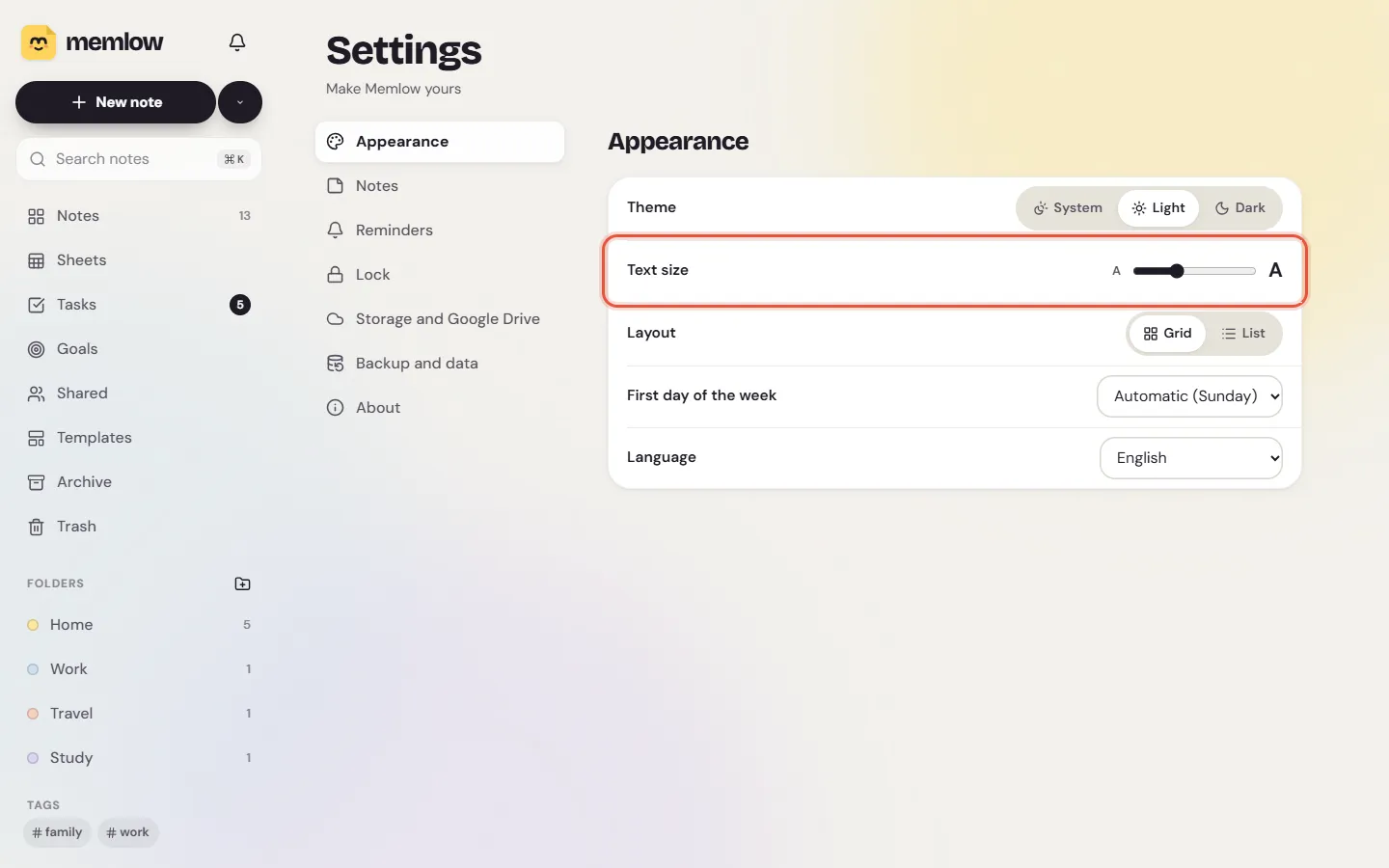
The Android app follows the text size you set for your phone, and its screens are built and tested at 200%. Some parts grow less, so they stay usable: a sheet's grid and a chart's labels go up to one and a half times. Settings also has its own Text size (Small, Medium, Large and Extra large) for Memlow alone.
On the web, browser zoom works as usual, and Settings, Appearance, Text size makes the app's text bigger or smaller. Every note can have its own text size, S to XL, and its own line spacing.
Using a keyboard
On the web, Ctrl + K (⌘ + K on a Mac) opens the command menu, to jump to any note, folder or action by typing. N starts a new note and / searches. Focus is always visible as an outline. A note card's buttons appear when the card has keyboard focus.
In Memlow Sheets, every command can be reached by keyboard: Ctrl + / lists the shortcuts, Alt + / searches the menus, and a checkbox, dropdown or date in a cell opens from the keyboard. In the banner studio, the arrow keys move the chosen layer. The keyboard shortcuts article lists them.
Right to left, and many languages
In Arabic and Urdu the whole app mirrors right to left, on both apps; on Android, Persian and Hebrew do too. Arrows that point a direction flip with it. Each paragraph of a note takes its own direction, so Urdu and English sit together. Memlow is in 15 languages on the web and 35 on Android. See notes in Urdu, Hindi and Arabic.
Colour, contrast and motion
Text colours are checked against every note colour and theme to meet WCAG 2.2 AA contrast, and colour is never the only way something is shown. Light, Dark or System is in Settings. If your device asks for reduced motion, the web app turns its animations off.
Touch targets are at least 48 dp on Android and 44 px on the web, with a few small exceptions. The Android app gives a light tap of feedback when you tick an item or enter a PIN.
What isn't there yet
- There's no high-contrast theme, and the web app doesn't yet follow the browser's high-contrast or forced-colours settings.
- Our TalkBack checks have been made on Android's accessibility tree; a full walkthrough on a real phone is still to come.
- On Android, the weekday buttons when you pick repeat days are a little under 48 dp wide on narrow phones.
- Widgets use the phone's own fonts, so Urdu on a widget isn't in Nastaliq.
- Translations of the TalkBack labels in some languages are drafts waiting for a native speaker.
If something in Memlow doesn't work with how you use your phone or computer, please write to [email protected]. We read every message.

