
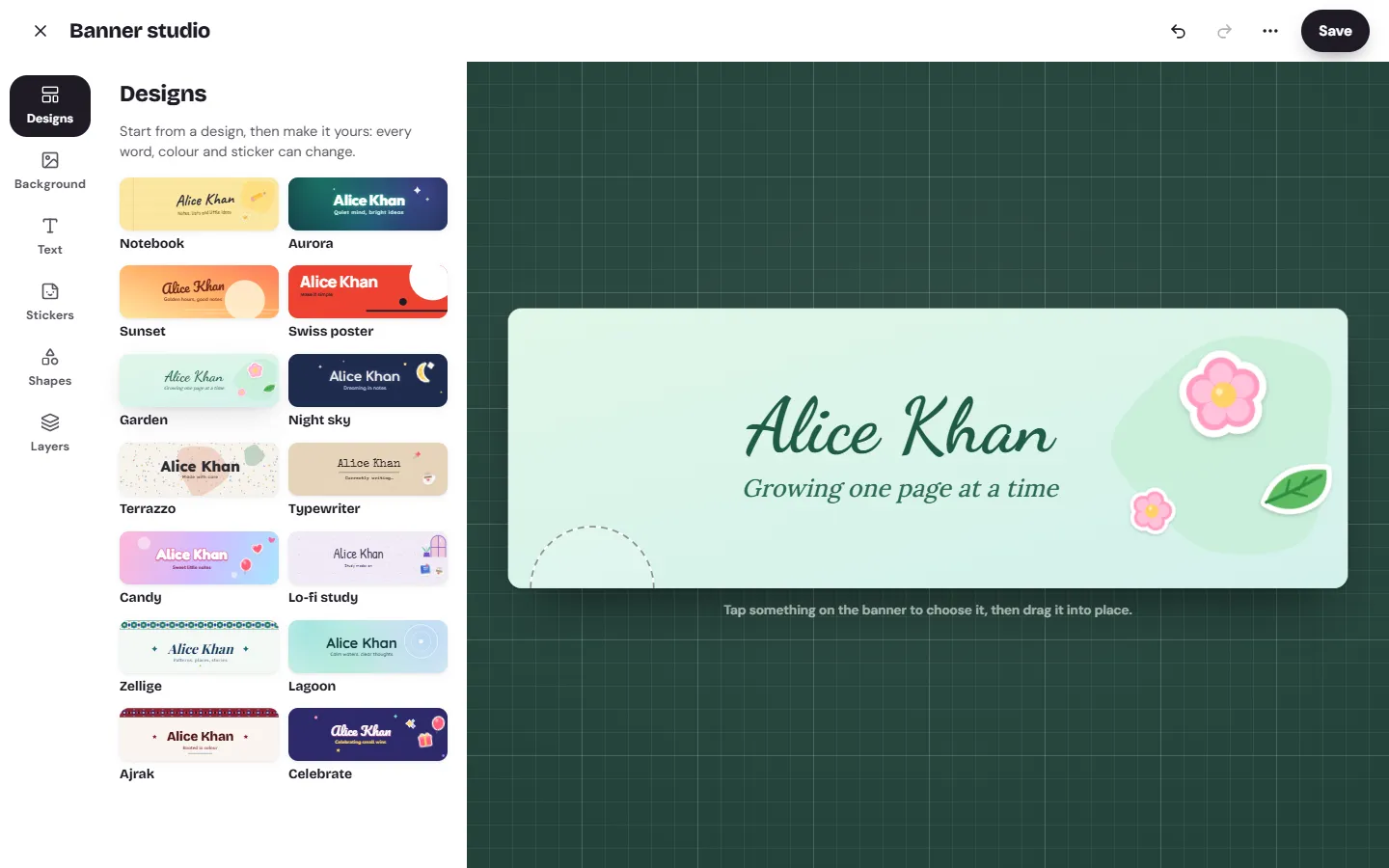
Pick a size and a design
Every banner is 3:1, and Download PNG saves it at 1500 × 500 pixels. Start from one of 14 ready-made designs: Notebook, Aurora, Sunset, Swiss poster, Garden, Night sky, Terrazzo, Typewriter, Candy, Lo-fi study, Zellige, Lagoon, Ajrak or Celebrate. Each one puts your name on it with a short line, and in Urdu or Arabic the design is mirrored to read right to left.
Other sites ask for their own banner sizes, and they change them from time to time. Check the size a site asks for before you upload the PNG there.
Add text and colours
The background can be one of Memlow's backgrounds, a gradient of two to four colours at any angle, a single colour, a note paper such as lined or grid, or one of the 75 themes. Then add your words:
- up to 5 text layers, each up to 5 lines, in any language and direction;
- any of the 30 fonts, from handwriting to typewriter, with Urdu in Nastaliq;
- size, weight, italic, a colour or gradient fill, an outline, and a soft shadow, glow or hard shadow;
- letter spacing, line height, rotation and opacity.
Add up to 12 stickers and shapes: the 24 drawn stickers, any emoji, and circles, rings, stars, sparkles, hearts, lines and blobs. Drag to move, use the handles to size and turn, or nudge with the arrow keys. Layers puts them in order, and Undo and Redo are always there.
Download your banner
Open the ⋯ menu and choose Download PNG. The banner is saved as a 1500 × 500 picture with its fonts drawn in, so it looks the same on any computer. Start over is in the same menu if you want a clean slate.
Use it on your Memlow profile
Save, and the banner goes across the top of your public profile and on the profile card that people you share with see. It's stored as a short description of the design, never as an uploaded picture, and the phone and the web draw it the same way.
The banner studio is part of your profile, so it needs a free Memlow account. It's in the Android app and on the web: open your profile and choose Edit banner. Design your profile banner has the steps.

